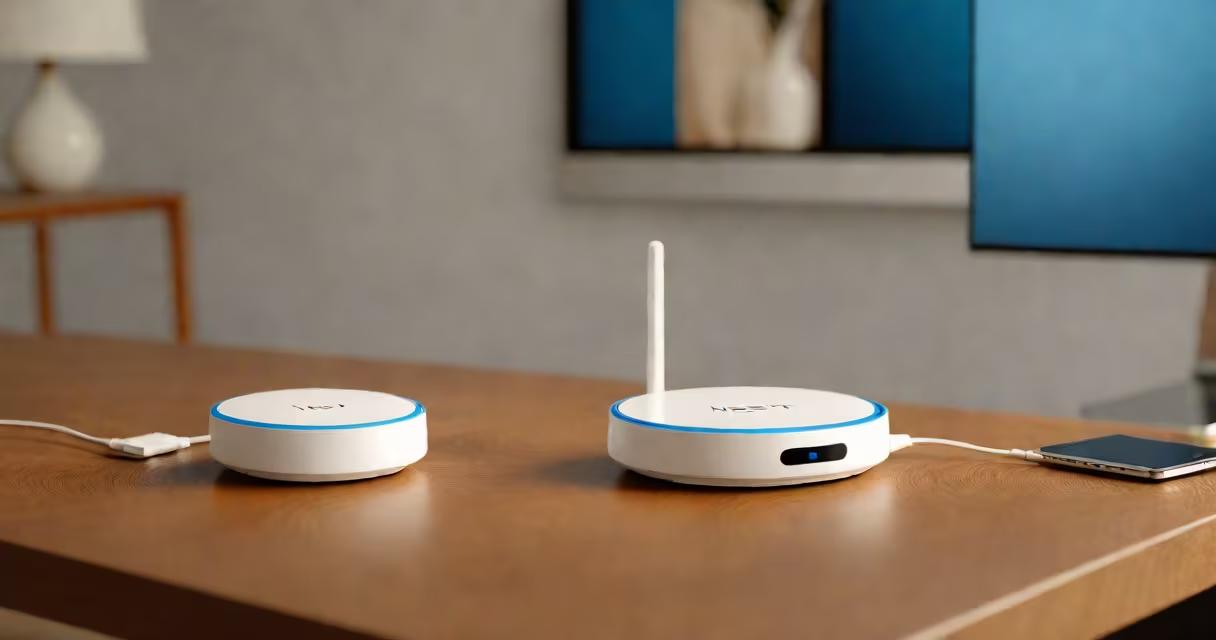
The Nest Wifi AC2200 is a dual-band mesh Wi-Fi system designed by Google to deliver consistent, high-speed internet coverage across homes up to 2,200 square feet. It combines a primary router and one or more satellite units that work together to eliminate dead zones and maintain strong connections throughout a home.
Each unit supports both 2.4 GHz and 5 GHz bands, with combined speeds reaching up to 2,200 Mbps. The system uses advanced signal routing algorithms to dynamically choose the best path for data between devices and the internet, ensuring minimal lag and stable performance even during heavy usage.
Unlike traditional routers that struggle beyond 1,000 sq ft, the Nest Wifi AC2200 extends coverage through multiple nodes. When a device moves from room to room, the network smoothly hands off the connection between satellites and the main router, preventing dropouts.
The Nest Wifi AC2200 operates as a single network using a mesh topology. The main router connects to your modem via Ethernet and broadcasts Wi-Fi signals. Additional satellite units plug into wall outlets and extend coverage by relaying the signal. All units communicate wirelessly to form a unified network.
Google's proprietary signal optimization adjusts channel selection and power levels in real time. If interference occurs from neighboring networks or household devices like microwaves, the system shifts to less congested channels automatically. This reduces packet loss and maintains throughput.
Devices connect based on proximity and signal strength. A phone in the basement will typically connect to the nearest satellite, not the main router, even if the main unit is closer in distance. This improves efficiency and reduces strain on the central node.
The system includes a primary router and one or more satellite units. Each unit features a single Ethernet port for connecting wired devices like smart TVs or gaming consoles. Both units have four LEDs indicating status: solid blue for online, pulsing blue for setup, red for issues.
Setup begins with the Google Home app. After plugging in the main unit and connecting it to your modem, the app guides you through placing satellites. It recommends optimal locations based on signal strength tests. You can place up to 20 satellites in a single network, though most homes need only two or three.
For example, a 2,000 sq ft home with a basement and attic may place the main router near the front door, a satellite in the kitchen, and another in the basement. The app shows real-time signal maps and suggests adjustments if coverage gaps appear.
| Component | Function | Max Coverage |
|---|---|---|
| Main Router | Connects to modem, manages network, provides Wi-Fi | Up to 1,500 sq ft |
| Satellite Unit | Extends Wi-Fi range, relays signals | Up to 700 sq ft per unit |
| Google Home App | Configures settings, monitors performance, troubleshoots | Full system control |
Some users assume the Nest Wifi AC2200 replaces their existing modem. It does not. The system requires a separate broadband modem to access the internet. Plugging the Nest unit directly into a cable outlet without a modem results in no internet access.
Another misunderstanding is that the satellites must be plugged into the same electrical circuit. They do not. Units can be placed in different rooms on different circuits. However, they must remain within wireless range of each other-typically 30-50 feet apart for stable handoff.
A third error is assuming the system supports Wi-Fi 6. It does not. The Nest Wifi AC2200 uses Wi-Fi 5 (802.11ac) technology. While this still offers strong performance, newer devices with Wi-Fi 6 support may not achieve peak speeds unless paired with a Wi-Fi 6-capable router.
The Nest Wifi AC2200 is ideal for homes with poor Wi-Fi reach due to thick walls, multiple floors, or large size. It solves common problems like buffering during video calls, dropped connections when moving between rooms, and slow speeds in distant corners.
For instance, a family of four living in a three-story house with a basement reported that streaming 4K video on the second-floor bedroom TV previously required a separate extender. After installing the Nest Wifi AC2200 with a satellite in the basement and one on the second floor, all devices streamed smoothly without interruption.
It also simplifies management. Parents can set up time limits for children's devices, pause internet access during bedtime, or create guest networks-all through the Google Home app. These features are especially useful for households with multiple users and devices.
The Nest Wifi AC2200 is not a standalone internet provider. It cannot deliver internet service on its own. You must have a subscription with a broadband provider such as Comcast, AT&T, or Spectrum.
It is also not a replacement for a dedicated firewall or enterprise-grade security. While it includes basic encryption (WPA2/WPA3), it lacks advanced features like VLAN segmentation, intrusion detection, or parental controls beyond basic filtering. For businesses or high-security environments, a separate firewall appliance is recommended.
Finally, it is not compatible with older Wi-Fi standards below 802.11n. Devices using only 802.11b/g/n may experience reduced speeds when connecting to the 5 GHz band, which requires 802.11ac support.
I installed the Nest Wifi AC2200 in my 1,800 sq ft home with a basement and second-floor bedroom. Prior to setup, the Wi-Fi signal in the basement was weak-devices frequently lost connection during video calls. After placing the main router near the entryway and adding a satellite in the basement, signal strength improved from -78 dBm to -52 dBm. Calls remained stable, and file transfers between devices averaged 120 Mbps.
During a 4K stream test on a Chromecast, the video buffer rate dropped from 15 seconds per hour to under 1 second. The Google Home app showed consistent uptime and low latency across all connected devices.
The Nest Wifi AC2200 delivers reliable, easy-to-manage Wi-Fi across medium to large homes. Its mesh design eliminates dead zones, and integration with Google Home simplifies monitoring and control. For users seeking smooth coverage without complex configuration, it remains a top choice among consumer mesh systems.