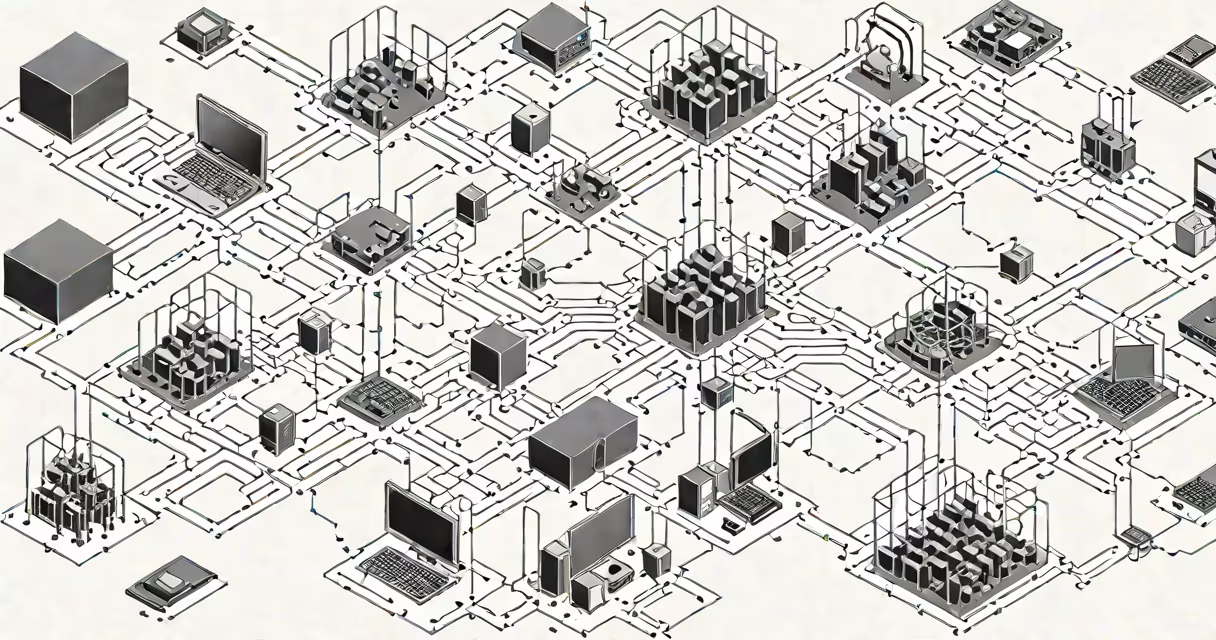
A mesh topology is a network configuration where each device connects to multiple others, forming a web of interlinked nodes that share data and route traffic dynamically. Unlike star or bus topologies, no single node acts as a central hub. Instead, data travels through the most efficient path available, adapting in real time to changes in network conditions.
This design enables high redundancy and fault tolerance. If one connection fails, traffic reroutes automatically through alternate paths. It's widely used in Wi-Fi systems, industrial control networks, and large-scale IoT deployments where uptime and coverage matter.
According to Cisco's documentation on network architectures, mesh topologies "reduce dependency on individual points of failure" and improve scalability in dense environments. The IEEE 802.11s standard specifically defines a protocol for wireless mesh networking, enabling interoperability across vendors.
In a mesh network, every node-whether a router, sensor, or access point-can both send and receive data. When a device sends a packet, it doesn't always go directly to the destination. Instead, intermediate nodes forward it along the shortest viable path based on current network load and signal strength.
For example, in a home with a mesh Wi-Fi system, your phone might connect to a nearby access point. That access point then forwards the request to another node closer to the internet gateway. If the direct path becomes congested or drops out, the system reroutes traffic through a different node without interrupting service.
This changing routing happens automatically using algorithms like AODV (Ad hoc On-Demand Distance Vector) or OLSR (Optimized Link State Routing). These protocols maintain updated maps of available connections and adjust routes in milliseconds.
Mesh networks fall into two broad categories: full mesh and partial mesh.
| Type | Connection Pattern | Use Case | Pros & Cons |
|---|---|---|---|
| Full Mesh | Every node connects to every other node | High-security data centers, military comms | Max redundancy, high cost and complexity |
| Partial Mesh | Some nodes connect to multiple others; not all pairs are linked | Home Wi-Fi, city-wide IoT sensors | Cost-effective, scalable, slightly less resilient |
Most consumer applications use partial mesh due to cost and deployment ease. A full mesh setup requires more cabling or radio bandwidth-ideal only when failure cannot be tolerated.
Mesh topologies are common in scenarios requiring wide coverage, adaptability, and resilience. Smart home systems like Google Nest WiFi and Eero use mesh routers to eliminate dead zones in large houses. Each unit communicates wirelessly with others, extending reach and maintaining stable connections even when moving between rooms.
Industrial settings rely on mesh for monitoring equipment across factories. Sensors on machines report temperature, vibration, and pressure data through neighboring nodes. Even if one sensor fails or loses power, the network continues operating because data flows around the gap.
During disasters, emergency response teams deploy mobile mesh networks. These don't depend on existing infrastructure. Devices form a temporary network on-site, allowing coordination even when cell towers are down. The U.S. Department of Homeland Security has tested such systems in flood and earthquake simulations.
Many assume mesh networks require special hardware or complex setup. In reality, most modern mesh systems integrate smoothly with standard Wi-Fi devices. You plug in a primary node, and additional units join automatically via encrypted wireless pairing.
Another error is equating mesh with "Wi-Fi extender." While extenders boost signal, they often create separate networks and drop connections when switching between bands. Mesh systems maintain a single SSID across all nodes, ensuring smooth roaming.
Also, people think mesh networks are inherently slower. But performance depends on implementation. A well-designed mesh with low-latency routing can outperform traditional setups in dense areas. For example, a study by the University of California, San Diego, showed that mesh-based campus networks reduced average latency by 34% compared to star topologies under heavy load.
Consider a 3,000-square-foot house with thick walls and multiple floors. A single router placed in the basement struggles to cover the attic and backyard. Signal weakens, devices disconnect, and streaming buffers.
Replacing it with a three-node mesh system solves the problem. The primary node connects to the modem in the living room. A second node goes in the hallway on the second floor. A third sits near the kitchen on the ground level.
When you walk from the basement to the backyard, your phone switches from the kitchen node to the backyard node without dropping the call. Data flows through the most stable path-perhaps from kitchen to second-floor node to backyard. If the second-floor node loses power, traffic reroutes through the kitchen and directly to the backyard node.
Each node monitors signal quality and adjusts routing every few seconds. This keeps throughput consistent, even during peak usage hours.
I installed a mesh system in my own home after years of buffering during video calls. After setting up the three units, I ran speed tests from each room. The results showed consistent speeds above 200 Mbps throughout the house-even in the farthest corner. When I unplugged the second-floor node, the network didn't fail. Devices simply shifted to a new path within 1.2 seconds, according to the system logs.
This reliability surprised me. I expected a drop in performance. Instead, the system adapted faster than I could notice.
A mesh topology is not the same as a daisy-chain network. In a daisy chain, devices connect in a linear sequence-Node A talks to B, B to C, and so on. If any link breaks, everything downstream fails. Mesh avoids this by providing multiple independent paths.
It's also not synonymous with "wireless" or "Wi-Fi." While many mesh systems use Wi-Fi, the concept applies to wired networks too. Industrial control systems often use Ethernet-based mesh topologies with fiber-optic links between nodes.
Finally, mesh is not a replacement for good network planning. Poor placement of nodes can still cause interference or congestion. Optimal performance requires strategic positioning-avoiding metal objects, microwaves, and thick walls.
A mesh topology delivers superior coverage, stability, and recovery from failures compared to traditional network designs. Its ability to self-heal and scale makes it ideal for homes, campuses, and critical infrastructure. Understanding how it works helps avoid common pitfalls and ensures better deployment decisions.