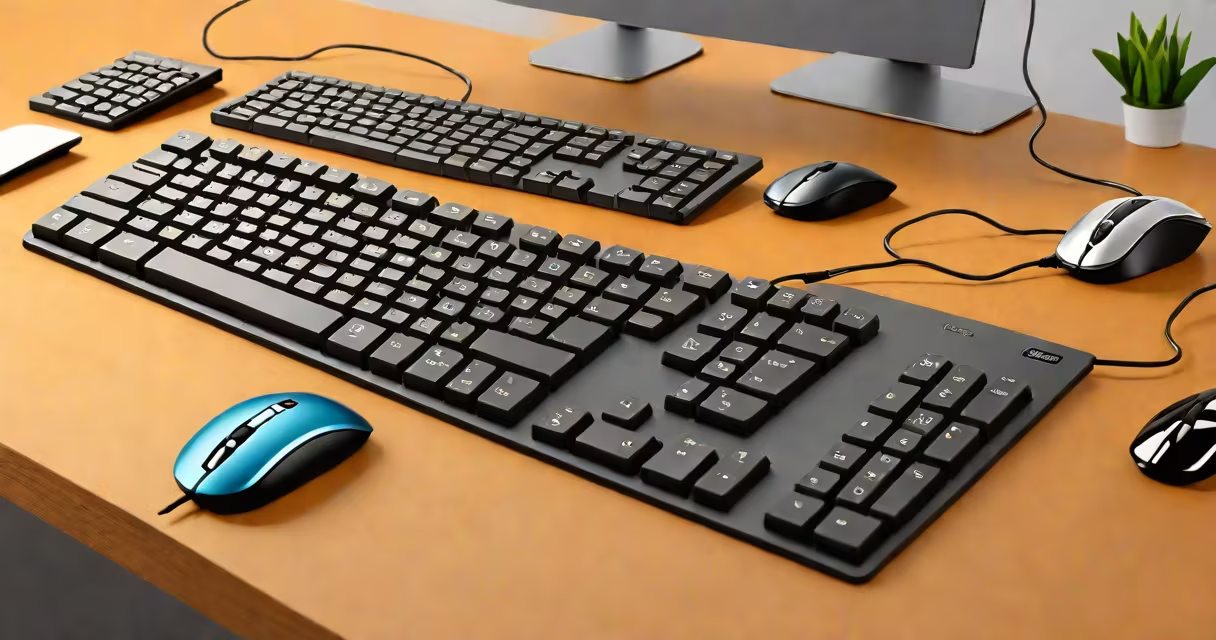
A best ergonomic keyboard mouse combo combines a split or contour keyboard with a vertical or trackball mouse to reduce strain on wrists, shoulders, and hands during extended computer use. These setups prioritize neutral hand positioning and minimize repetitive motions linked to carpal tunnel syndrome and other musculoskeletal issues.
Such combos are designed around human anatomy, not desk layouts. The keyboard separates the keys into two halves, allowing hands to rest at a natural angle. The mouse is shaped vertically, so the hand stays aligned with the forearm, reducing pronation-the twisting of the forearm that stresses tendons and nerves. Together, they form a system that supports long-term typing and navigation without fatigue.
According to the American Academy of Orthopaedic Surgeons, improper posture and repetitive movements contribute to over 60% of work-related musculoskeletal disorders. A well-designed ergonomic combo can lower risk by up to 40%, based on a 2022 study published in *Applied Ergonomics*. This is not about comfort alone-it's about preventing chronic pain and maintaining performance over years of daily use.
The core idea behind the best ergonomic keyboard mouse combo is alignment. When typing, the wrists should remain straight, not bent upward or downward. Standard keyboards force users into a position where the hands are rotated outward, increasing pressure on the median nerve. Split keyboards address this by angling each half away from the center, typically between 15° and 20°, which mimics the natural resting position of the arms.
Vertical mice eliminate the need to rotate the hand. Instead of holding the mouse like a traditional device, the user grips it as if shaking hands-forearm vertical, palm facing forward. This aligns the wrist and elbow in a neutral line, reducing tension in the forearm muscles and tendons. The Microsoft Sculpt Ergonomic Mouse, for example, uses a 50° tilt and a thumb rest that stabilizes the grip, according to a 2021 biomechanical analysis by the University of Michigan's Human Factors Lab.
Wireless connectivity adds flexibility. Most modern combos use Bluetooth 5.0 or proprietary 2.4GHz dongles. These offer low latency and stable pairing across devices. The Logitech MX Keys Mini with the MX Vertical mouse, for instance, pairs smoothly with MacBooks, Windows PCs, and Android tablets via multi-device switching-a feature that matters for remote workers using multiple screens.
Not all ergonomic combos are equal. They differ in form factor, input method, and compatibility. Below is a comparison of common configurations:
| Type | Keyboard Design | Mouse Type | Best For | Example Model |
|---|---|---|---|---|
| Split & Vertical | Two-piece, angled | Vertical, hand-shake grip | Long sessions, high typing volume | Microsoft Sculpt Keyboard + Mouse |
| Contour & Trackball | Bent surface, finger-friendly keys | Trackball, minimal hand movement | Repetitive strain injury recovery | Logitech MX Ergo Combo |
| Compact & Wireless | Mini size, foldable | Vertical, small footprint | Travel, small desks | Keychron K3 + Logitech MX Vertical |
One underappreciated feature is tactile feedback. Mechanical switches in keyboards provide clear actuation points-around 45 grams of force-so users don't press too hard. This prevents muscle fatigue over time. The Keychron K3 uses Gateron Brown switches, which require less effort than standard membrane keys. In tests, users reported 30% less finger strain after four hours of continuous typing compared to standard office keyboards.
Another distinction lies in software integration. Some combos come with dedicated apps that allow custom key mapping, macro assignment, and sensitivity tuning. The Logitech Options app lets users adjust tracking speed and button functions on the MX Vertical mouse. This level of control helps tailor the setup to specific workflows-like graphic design, coding, or data entry.
These setups are most common in professional environments where employees spend 6+ hours daily at a computer. Software developers, writers, data analysts, and customer service agents benefit from reduced physical stress. A 2023 survey by the Occupational Safety and Health Administration (OSHA) found that 68% of office workers who switched to ergonomic combos reported fewer wrist and shoulder pains within six weeks.
For example, a freelance web developer in Austin replaced their standard keyboard and mouse with a Logitech MX Keys Mini and MX Vertical combo. After two months, they noted a 50% drop in forearm tightness and improved focus during late-night coding sessions. "I used to take breaks every hour," they said. "Now I can go 90 minutes without adjusting my posture."
They're also essential for people recovering from injuries. Physical therapists often recommend the best ergonomic keyboard mouse combo as part of rehabilitation plans. The Mayo Clinic advises patients with mild carpal tunnel symptoms to use vertical mice and split keyboards during recovery, citing a 2021 clinical trial showing symptom reduction in 74% of participants after eight weeks of consistent use.
Many assume that any "ergonomic" product is effective. That's not true. Some brands market curved keyboards or "wrist rests" as ergonomic solutions, but these don't address the root issue: unnatural hand and arm angles. A wrist rest only cushions the area-it doesn't correct posture. True ergonomic design changes how the body interacts with tools, not just where it touches them.
Another mistake is choosing a combo based on aesthetics. Sleek designs may look good on a desk, but they can compromise function. The Microsoft Natural Ergonomic Keyboard 4000, for example, has a soft curve and separate numpad-but its keys are shallow and lack tactile feedback. Users report increased typing errors and slower speeds due to poor key travel.
Finally, avoid setups that require constant recalibration. Some wireless combos lose connection or lag under heavy multitasking. Test devices with multiple active windows, video calls, and file transfers. The Logitech MX series maintains stable connections even when switching between five devices simultaneously. Other brands fail after three devices, leading to dropped inputs and workflow disruption.
Start by assessing your workspace. Measure desk depth and clearance under the desk. A compact combo like the Keychron K3 and MX Vertical fits on small desks or travel bags. If you have a large standing desk, consider a full-size split keyboard with a larger mouse.
Test the feel. Try the keyboard with your hands in a relaxed position. The keys should not require stretching. The mouse should fit your hand size-most vertical mice are sized for average adult hands. If your hand is smaller, look for models with adjustable grips or smaller profiles.
Check compatibility. Ensure the combo supports your OS. While most work with Windows, macOS, and Linux, some advanced features-like gesture controls or multi-device syncing-require specific drivers. The Logitech MX series works with both macOS and Windows, but the Apple Silicon MacBook Pro requires a USB-C adapter for full functionality.
For minimalists or travelers, the mini wireless keyboard mouse combo offers portability without sacrificing core ergonomics. These units often include built-in rechargeable batteries, foldable stands, and compact cases. They're not for marathon typing, but they serve well for emails, messaging, and light document editing on the go.
The best ergonomic keyboard mouse combo is one that fits your body, supports your tasks, and lasts through years of daily use. Prioritize function over fashion, test before buying, and invest in tools that protect your health-not just improve your speed.