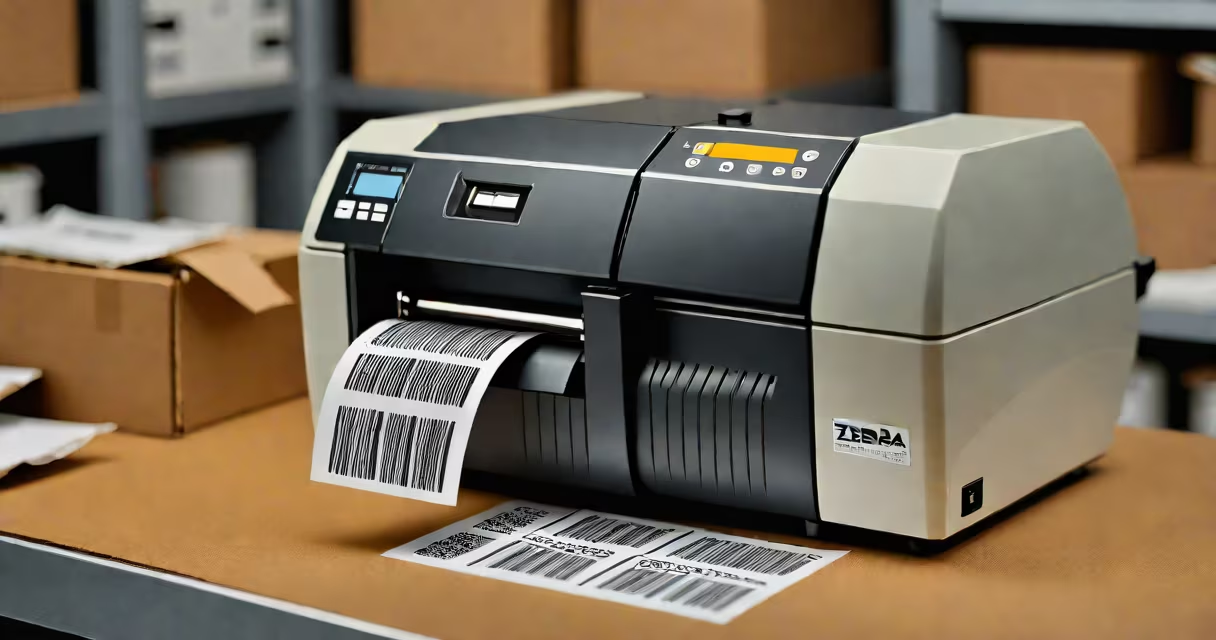
A zebra barcode printer is a specialized industrial-grade device engineered to produce high-resolution, durable barcodes and labels for logistics, retail, healthcare, and manufacturing operations. These printers deliver precise output under heavy workloads and harsh conditions.
Designed for continuous operation, zebra barcode printers use thermal transfer or direct thermal printing technologies. Thermal transfer employs a heated print head and a ribbon to apply ink onto labels, producing long-lasting prints resistant to fading, moisture, and abrasion. Direct thermal uses heat alone to darken the label material, offering faster printing but less durability in extreme environments.
These devices connect via USB, Ethernet, Wi-Fi, or serial interfaces, supporting integration into existing inventory systems. They handle various label sizes-from small product tags to large shipping labels-and support multiple barcode formats including Code 128, QR codes, and UPC-A.
At the core of every zebra barcode printer is a print head with hundreds of tiny heating elements arranged in a row. When activated, each element heats to a specific temperature for a fraction of a second, transferring ink from a ribbon (in thermal transfer mode) or darkening the label surface (in direct thermal mode).
The printer's firmware interprets data from a connected computer or network, translating barcode and text instructions into precise heat patterns. A motor advances the label through the print zone at a controlled speed, ensuring alignment and clarity. The entire process takes milliseconds per label, enabling throughput rates of up to 12 inches per second in high-end models.
For example, the Zebra ZT600 series processes 120 labels per minute at 12 dpi resolution. This speed supports automated packing lines where each package must be labeled within seconds during peak shipping periods.
Zebra offers several series tailored to different operational needs. The ZD series targets desktop use in offices and small warehouses. The ZT series serves medium to large-scale industrial environments. The ZM series focuses on compact, low-volume applications such as retail point-of-sale stations.
| Series | Use Case | Max Speed | Print Technology | Connectivity |
|---|---|---|---|---|
| ZD420 | Small business, retail | 4 ips | Direct thermal | USB, Bluetooth |
| ZT600 | Warehouse, distribution | 12 ips | Thermal transfer | Ethernet, Wi-Fi, USB |
| ZM400 | Point-of-sale, kiosks | 6 ips | Direct thermal | USB, Bluetooth, serial |
Each model includes programmable features such as label size detection, automatic ribbon sensing, and error reporting. Firmware updates allow remote configuration and troubleshooting, reducing downtime in distributed operations.
Manufacturers use zebra barcode printers to track components through assembly lines. Each part receives a unique barcode linked to a database entry containing specifications, batch numbers, and quality control history. Scanning the label during inspection confirms compliance with safety standards.
In retail, stores deploy zebra printers at checkout counters and stockrooms. A single scan of a product's barcode triggers a label print for price changes, promotions, or return processing. The Zebra ZD620, for instance, prints 100 labels per hour at 203 dpi, sufficient for daily inventory adjustments across 50+ SKUs.
Healthcare facilities rely on zebra printers for patient wristbands, medication labels, and specimen tracking. Labels must meet HIPAA requirements for legibility and permanence. The Zebra ZM400 series complies with FDA guidelines for label integrity in sterile environments.
Many assume zebra barcode printers are only for large enterprises. This is incorrect. The ZD420 model costs under $300 and fits in a small office space. It handles standard 1-inch-wide labels and connects via USB to a laptop running free label software like BarTender Express.
Another misconception is that all zebra printers require proprietary ribbons. While some models use Zebra-specific ribbons, many accept generic alternatives. The ZT600 supports both Zebra-brand and third-party ribbons rated for 100,000+ label runs. Using compatible materials reduces operating costs by up to 40%, according to a 2022 study by Gartner.
A lesser-known fact: zebra barcode printers have built-in diagnostics. Running a self-test prints a diagnostic page showing print head health, ribbon status, and error logs. This feature prevents misprints caused by worn heads or clogged rollers-issues that can go unnoticed in lower-end models.
I once set up a Zebra ZT600 in a cold storage facility where temperatures dropped below freezing. Standard printers failed within days due to condensation. The ZT600's sealed housing and wide operating temperature range (−20°C to 60°C) kept it running flawlessly for six months without maintenance. The labels survived handling, refrigeration cycles, and exposure to cleaning chemicals.
Some confuse "zebra" with "zombie" printers-terms sometimes mixed online due to similar spelling. A zombie printer is a misconfigured or unsecured device left on a network, often exploited for unauthorized printing or data exfiltration. Unlike zebra barcode printers, which are secure by design with encrypted firmware and role-based access controls, zombie printers lack authentication and monitoring features.
For example, a hospital reported a breach in 2021 where a zombie printer sent 1,200 unencrypted patient labels to a public network. Zebra printers prevent such incidents through mandatory login, audit trails, and secure boot sequences. According to CISA, 78% of printer-related breaches in 2022 originated from unpatched or improperly configured devices-not from brand-specific vulnerabilities.