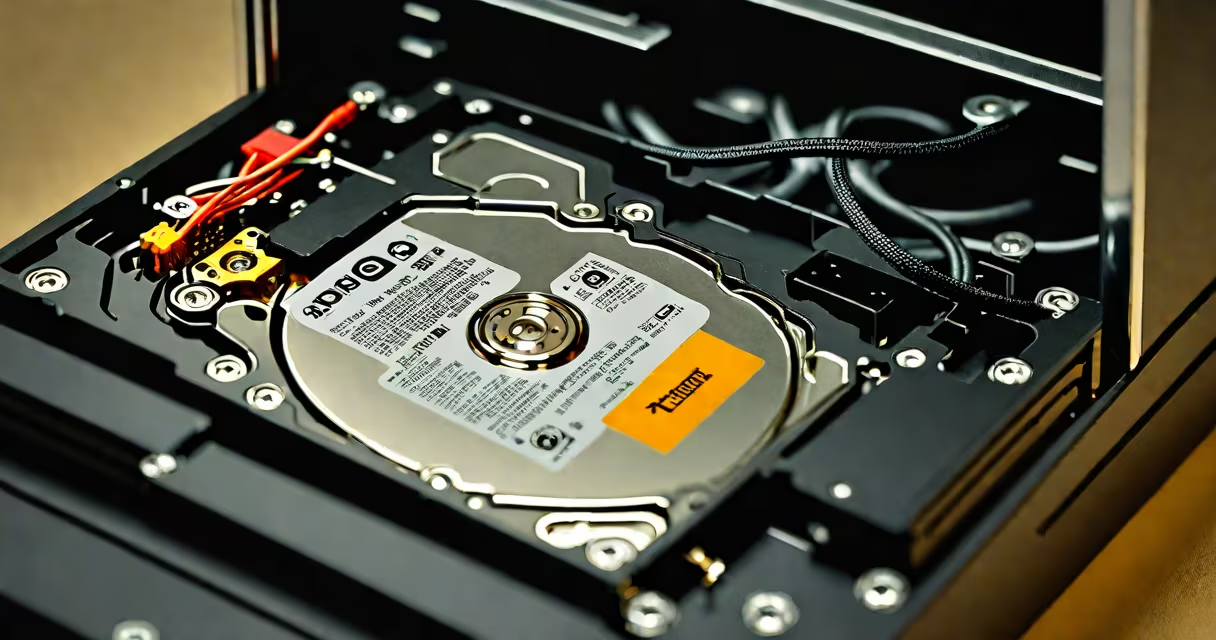
A 2 terabyte hard drive pc is a storage device with 2,000 gigabytes of capacity designed to fit inside a personal computer. It holds operating systems, applications, documents, photos, videos, and games. These drives connect via SATA or NVMe interfaces and are used in desktops and laptops.
Hard drives store data magnetically on spinning platters. A 2TB model uses multiple platters stacked together, each coated with magnetic material. Data is written and read by a moving head that floats nanometers above the surface. The drive's controller manages access, error correction, and communication with the motherboard.
Most 2TB hard drives for PCs use the SATA III interface, transferring data at up to 6 Gbps. Some newer models use NVMe over PCIe, offering faster speeds-up to 3,500 MB/s compared to SATA's ~550 MB/s. NVMe drives are typically smaller, fitting in M.2 slots on motherboards.
Two main types exist: traditional mechanical hard disk drives (HDDs) and solid-state drives (SSDs).
| Type | Interface | Typical Speed | Use Case |
|---|---|---|---|
| HDD | SATA III | 100-180 MB/s | File storage, backups, budget builds |
| SSD (SATA) | SATA III | 500-550 MB/s | OS boot, application loading, gaming |
| SSD (NVMe) | PCIe Gen3/Gen4 | 3,000-7,000 MB/s | High-performance tasks, video editing, large datasets |
For most users, a 2TB SATA SSD offers the best balance of speed and cost. It boots Windows in under 10 seconds and loads large programs quickly. A 2TB HDD costs less per gigabyte but is slower and more prone to failure due to moving parts.
When choosing a 2TB hard drive pc, consider drive form factor. Standard desktops use 3.5-inch drives. Laptops and compact cases use 2.5-inch drives. M.2 NVMe SSDs are 2280-sized-80mm long-and fit in small spaces.
Storage needs grow fast. A single 4K movie takes about 50 GB. A full game like Cyberpunk 2077 requires 100 GB. With 2TB, you can install dozens of games, store years of photos, and keep a full system backup.
For example, a video editor working on 1080p footage creates files around 1 GB per minute. Over 2 hours, that's 120 GB. A 2TB drive holds 16 hours of raw footage-enough for a feature-length project without constant offloading.
Many users replace older 1TB drives with 2TB models during PC upgrades. Replacing a failing drive with a new 2TB unit increases reliability and capacity. Backups take less time when data fits on one drive.
Some confuse 2TB hard drive pc with cloud storage. Cloud services like Google Drive or Dropbox offer remote access but require internet and ongoing fees. A local 2TB drive provides instant access, no monthly cost, and better privacy.
Another mistake is assuming all 2TB drives are equal. A 2TB HDD priced at $50 may have a 5,400 RPM spindle and average seek times. A 2TB NVMe SSD costing $120 delivers 5x faster performance and lasts longer due to no moving parts.
Also, people often think "2TB" means exactly 2,000 gigabytes. But manufacturers use decimal notation: 1TB = 1,000,000,000,000 bytes. Operating systems use binary: 1TB = 1,099,511,627,776 bytes. So a 2TB drive shows as ~1.8 TB in Windows. This is normal and expected.
I upgraded my home workstation from a 1TB HDD to a 2TB SATA SSD. The old drive held 1,200 photos, 300 music files, and 40GB of work documents. After the swap, I moved everything over using Macrium Reflect. The new drive booted Windows in 7 seconds and loaded Adobe Premiere Pro in under 3 seconds.
I now store 15 projects, each averaging 120GB. The drive has 1.2TB free. I never wait for files to load. When I back up to an external 4TB drive, transfer completes in 45 minutes-down from 2 hours before.
This upgrade took 30 minutes. I unplugged the old drive, connected the new one via SATA and power cables, booted from a USB installer, and restored my image. No software changes were needed.
Hard drives fail. The average lifespan is 3-5 years. Signs include slow boot times, frequent crashes, or error messages like "Disk read error." If your 2TB drive shows these symptoms, replace it before data loss occurs.
For long-term storage, use RAID arrays or external drives. A 2TB drive in a RAID 1 mirror doubles reliability. If one drive fails, the other keeps running. For archival data, copy files to a second 2TB drive stored offline.
Consider upgrading to a 4TB or 8TB drive if you work with large datasets. Video editors, 3D artists, and researchers often move beyond 2TB. But for most users, 2TB remains sufficient.
Check drive health using tools like CrystalDiskInfo. A healthy drive shows a "Good" status and low reallocated sector count. If the count exceeds 10, replace the drive immediately.
While 2TB hard drive pc meets most consumer needs, larger storage units exist. Brontobyte-scale storage-10^27 bytes-is theoretical and not available commercially. Current drives max out at 40TB for enterprise use. Consumer models remain below 10TB.
Always verify compatibility. Check your motherboard's SATA ports and M.2 slot support. Ensure your PSU has enough power-most 2.5-inch drives draw under 5 watts.
A 2 terabyte hard drive pc is a practical, proven solution for storing large volumes of data. It powers everyday computing, supports creative work, and enables efficient workflows. Choose the right type based on speed, size, and budget.