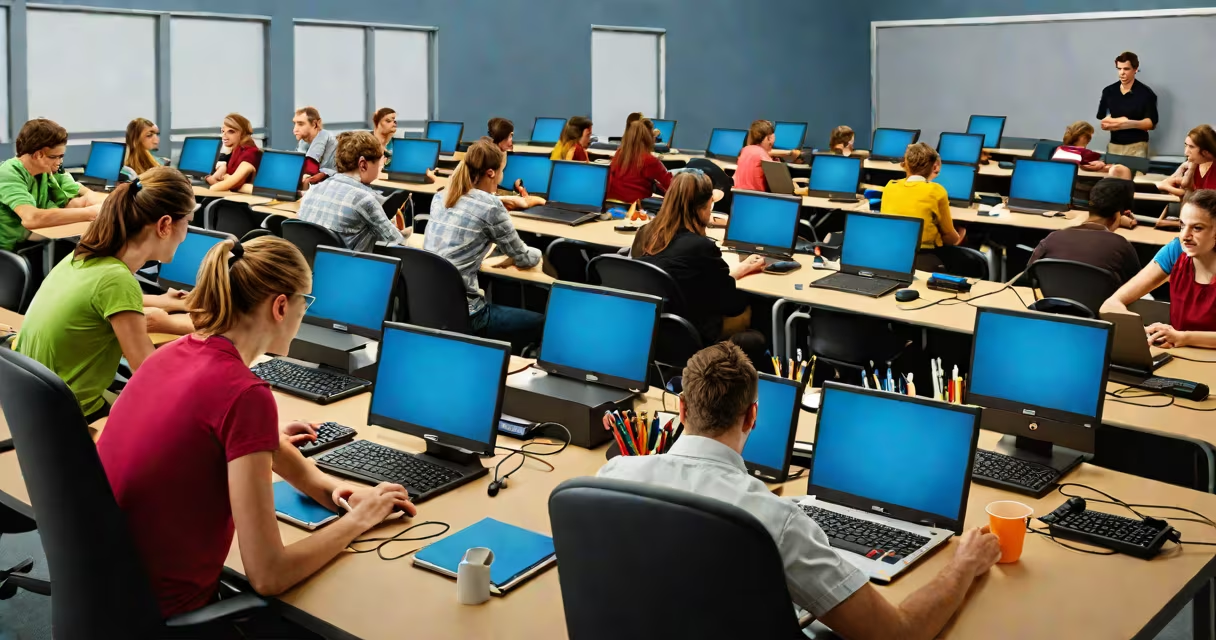
Computer class images are photographs or illustrations depicting students engaged in computer-related learning activities, such as coding, using software, or operating hardware in an educational environment. These visuals serve instructional, promotional, and documentation purposes across schools, colleges, and online platforms.
These images typically show real or staged scenes from classrooms, labs, or remote learning setups. They may feature students sitting at desks with computers, group work on programming tasks, or teachers demonstrating digital tools. The focus is on accurate representation of how computing is taught and practiced in academic settings.
According to the National Center for Education Statistics (NCES), 94% of public schools in the U.S. had internet access in 2021, and most included dedicated computer labs or integrated device use. Computer class images reflect this reality, capturing both traditional and modern teaching methods. The U.S. Department of Education notes that visual materials improve comprehension in STEM subjects, especially for younger learners.
Teachers use computer class images to plan lessons, illustrate concepts, or create handouts. For example, a biology teacher might use an image of students analyzing DNA sequences on a computer to introduce bioinformatics. These visuals help bridge abstract ideas with real-world applications.
Curriculum developers embed computer class images in textbooks, e-learning modules, and training guides. A 2022 study by the Journal of Educational Technology Systems found that courses using high-quality, context-specific images improved student retention by 27% compared to text-only versions.
Marketing teams in edtech companies rely on these images to promote products. An ad for a new coding platform might show diverse students collaborating on a tablet, reinforcing inclusivity and practicality. Such images avoid stereotypes by showing varied demographics, gender roles, and cultural backgrounds.
Computer class images fall into three main categories based on origin and purpose:
| Type | Use Case | Common Source | Example |
|---|---|---|---|
| Professional photography | Textbooks, websites, marketing | Stock photo agencies (Shutterstock, Getty) | Students in lab coats using microscopes connected to computers |
| Classroom snapshots | Teacher resource sharing, internal reports | School staff, student photographers | Group project on a shared screen in a high school computer room |
| Illustrated diagrams | Instructional materials, textbooks | Design studios, educators | Animated flowchart showing how a computer processes input |
Each type serves different needs. Professional photos offer consistency and polish. Classroom snapshots provide authenticity. Diagrams clarify complex systems without requiring real people.
Many assume computer class images are always staged or misleading. That's not true. While some stock images depict idealized scenarios-like perfectly aligned desks or overly enthusiastic students-authentic classroom images often show messy desks, partial screens, or students troubleshooting errors. These details reflect actual learning environments.
A frequent error is equating computer class images with gaming or entertainment. Images of students playing video games in class are rare in formal education. Most computer class images involve structured tasks: writing code, designing websites, analyzing datasets, or using CAD software. The focus is on skill development, not leisure.
Another misconception is that all computer class images must show multiple devices. In reality, many modern classrooms use single-device models. A 2023 report from the International Society for Technology in Education (ISTE) showed that 68% of K-12 schools now use 1:1 device ratios, meaning one student per device. Images from those schools often feature individual students working independently.
In a high school in Austin, Texas, a computer science teacher used a series of computer class images to introduce a unit on algorithms. The first image showed a student debugging a Python script on a laptop. The second captured a group discussing logic flow with sticky notes on a whiteboard. The third displayed a student presenting their program's output on a projector.
The teacher embedded these images into a Google Slides presentation. Students were asked to identify the problem-solving steps shown. Afterward, they created their own annotated version of the process. Feedback from the class indicated that the visual sequence helped them grasp the concept faster than reading a written explanation.
This example shows how computer class images aren't just decorative-they're functional tools that improve understanding. The teacher later shared the slide deck with other educators through a district-wide resource portal.
Not all images are equal. Look for diversity in representation. Avoid images that show only male students or stereotypical tech roles. The National Association of Secondary School Principals (NASSP) recommends using images that reflect gender, racial, and ability diversity to support inclusive learning.
Also verify context. An image of a student typing rapidly may suggest productivity-but it could also imply stress or lack of support. Choose images that show collaboration, clear instruction, and appropriate technology use.
One non-obvious fact: many free image repositories label computer class images as "education" or "school," but fail to specify the subject. Always check the metadata. An image titled "Students in a classroom" might actually show a history lesson, not a computer class. Use specific search terms like "high school computer science lab" to narrow results.
I once spent two hours reviewing free stock images for a workshop on digital citizenship. I found dozens labeled "students learning," but only 12 actually showed computing tasks. One image showed a student holding a tablet while reading a book-no computer activity involved. This highlights the need for precise filtering.
Computer class images are not just pictures-they are tools for teaching, assessing, and connecting students to digital literacy. When selected carefully, they reflect authentic learning, support diverse learners, and align with curriculum goals.