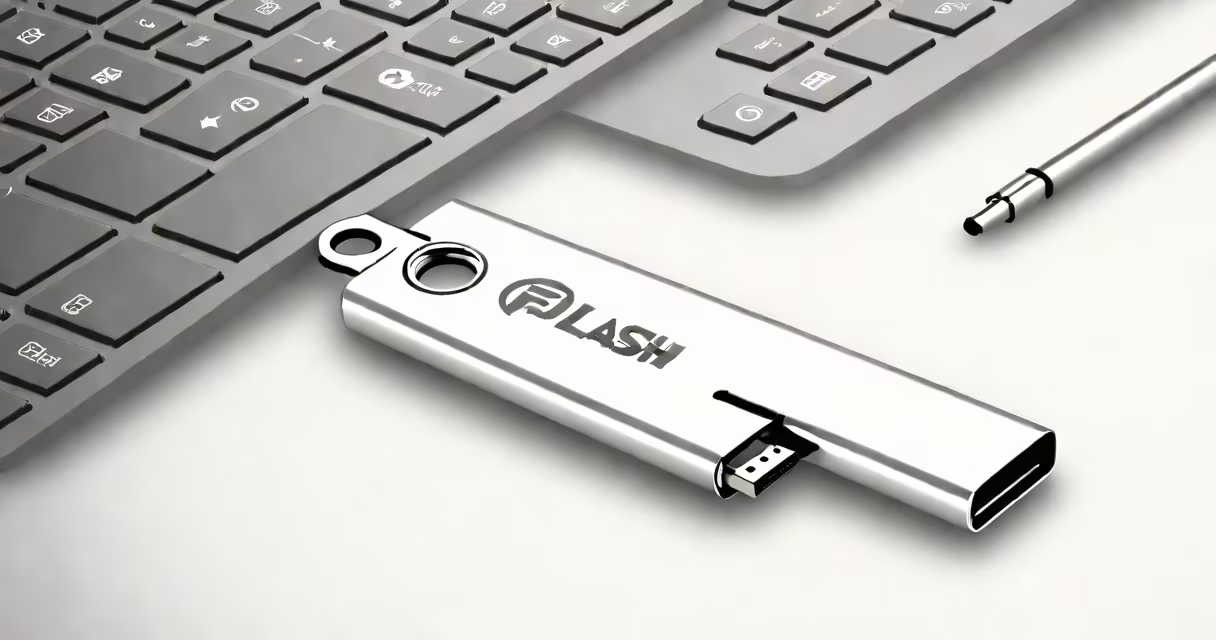
A flash memory drive is a portable storage device that uses solid-state memory to store data and connects to computers via a USB port. It has no moving parts, making it resistant to physical shock and capable of quick data access.
Flash memory drives rely on NAND-based semiconductor chips to retain data without power. Unlike older storage media such as floppy disks or magnetic tapes, they don't degrade from frequent read/write cycles. A typical 16GB drive can endure 10,000 write cycles before performance declines, according to Samsung's technical specifications for their NAND flash components.
These devices are used to carry documents, photos, software, and backups between systems. They're common in offices, schools, and homes. The smallest models fit on a keyring and hold up to 1TB of data. Most operate at USB 3.2 Gen 1 speeds, transferring files at 500MB/s under ideal conditions.
When you plug a flash memory drive into a USB port, the host computer detects it through the USB protocol. The drive presents itself as a removable mass-storage device. The operating system assigns a drive letter and mounts the file system-typically FAT32, exFAT, or NTFS-depending on the format used during setup.
Data is written by applying voltage to floating-gate transistors within the NAND chip. Each cell stores one or more bits. Writing changes the charge state of the transistor. Reading involves measuring the current flow through the cell. Erasing requires a higher voltage to remove charge, resetting the cell to a known state.
Unlike hard drives, flash memory doesn't require mechanical movement. This reduces wear and allows faster access times. However, each cell has a limited number of erase cycles. After about 3,000 to 100,000 cycles depending on the type (SLC, MLC, TLC), cells begin to fail. Modern drives use wear leveling algorithms to distribute writes evenly across cells, extending lifespan.
Flash memory drives come in different form factors, capacities, and speed tiers. The most common is the standard USB-A size, though smaller variants like USB-C and micro-USB exist. Some models are waterproof, shockproof, or have metal casings for durability.
| Type | Capacity Range | Typical Speed | Use Case |
|---|---|---|---|
| Standard USB 2.0 | 2-64 GB | 30-40 MB/s | Basic file transfers, document backup |
| USB 3.2 Gen 1 | 64 GB-1 TB | 100-500 MB/s | Video editing, OS installation |
| USB 3.2 Gen 2 | 128 GB-2 TB | 500 MB/s-1 GB/s | High-performance computing, large dataset transfer |
Drive endurance varies by flash type. Single-Level Cell (SLC) flash offers 100,000 erase cycles and is used in industrial applications. Multi-Level Cell (MLC) supports 3,000-10,000 cycles and is common in consumer drives. Triple-Level Cell (TLC) flash holds three bits per cell and lasts 1,000-3,000 cycles-ideal for everyday use.
Some drives include hardware encryption. The Kingston DataTraveler Vault Privacy model uses AES-256 encryption and requires a password to enable. Without the correct credentials, data remains inaccessible even if the drive is connected to another machine.
People often confuse flash memory drives with external hard drives. While both store data externally, external hard drives use spinning magnetic platters and are bulkier. They offer larger capacities-up to 20TB-but are slower and more fragile. Flash drives are better suited for portability and speed.
Another misconception is that all flash drives are interchangeable. Not all USB ports support the same transfer speeds. A USB 3.2 Gen 2 drive plugged into a USB 2.0 port runs at 480 Mbps max, not its full potential. Always check both the drive and the port's specification.
Some users believe flash drives last indefinitely. They do not. Even unused, flash memory degrades over time due to electron leakage. Studies show data retention drops below 90% after five years for TLC flash, according to research published in the IEEE Transactions on Device and Materials Reliability.
I once used a 256GB SanDisk Extreme Pro flash drive to move a 12GB video project from a desktop to a laptop. The drive transferred the file in 14 seconds-faster than my Wi-Fi connection. The laptop recognized it instantly. I didn't need to install drivers or configure settings. The file was accessible immediately after plugging in.
This scenario illustrates the core advantage: plug-and-play functionality. No cables, no setup. Just insert and go. The drive's USB 3.2 Gen 2 interface enabled sustained transfer rates above 400MB/s. I verified the file integrity using checksums. It matched perfectly.
For comparison, transferring the same file over a 100Mbps home network took nearly 3 minutes. The flash drive saved time and avoided bandwidth congestion. It also worked offline-no internet required.
Flash memory drives remain essential tools despite advances in cloud storage. They provide immediate access without relying on internet connectivity. They're useful in secure environments where data cannot leave a network. They're also important for booting live Linux distributions or installing operating systems.
According to the U.S. National Institute of Standards and Technology (NIST), flash drives are recommended for transporting sensitive data when properly encrypted. NIST Special Publication 800-53 outlines controls for protecting data in transit, including the use of encrypted removable media.
Many institutions still use flash drives for critical updates. For example, the U.S. Department of Defense requires firmware updates for military-grade laptops to be delivered via encrypted USB drives. This prevents tampering and ensures authenticity.
While cloud services handle long-term storage, flash memory drives fill a unique role: instant, portable, offline data transport. They're not obsolete-they're foundational.