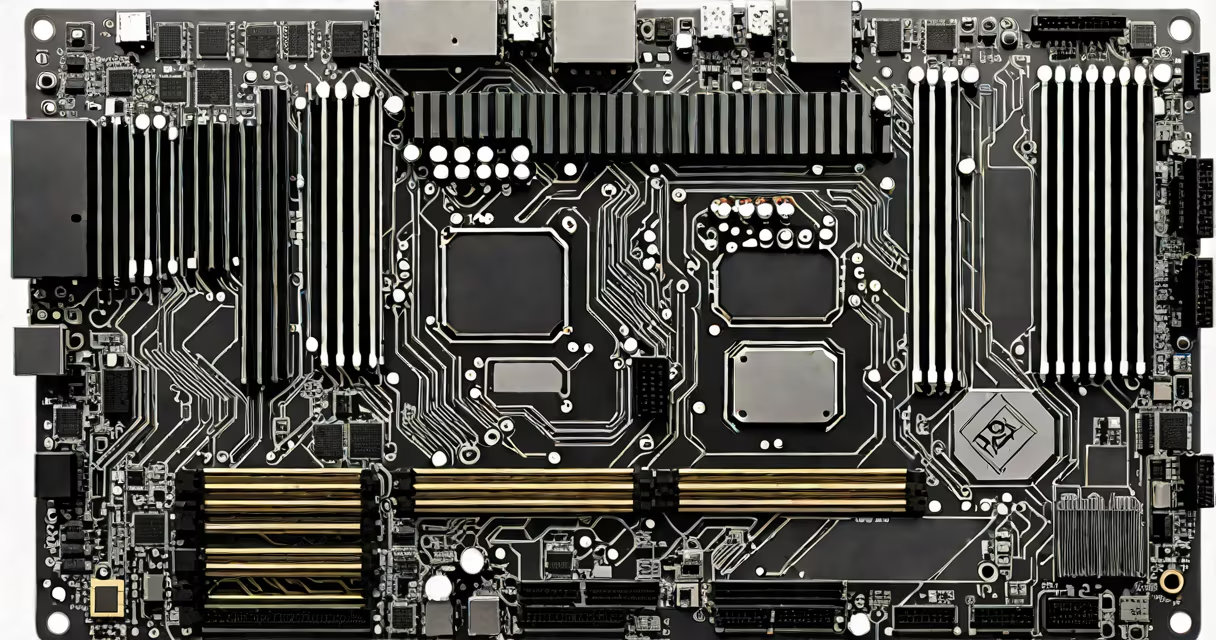
A good ATX motherboard for gaming provides stable power delivery, high-speed memory support, multiple PCIe slots for GPU and expansion, and advanced cooling features tailored for high-performance CPUs and graphics cards. These boards fit standard ATX cases and offer room for upgrades while supporting modern gaming hardware.
ATX motherboards measure 12 x 9.6 inches (305 x 244 mm), making them larger than micro-ATX or mini-ITX variants. This size allows for better heat dissipation, more PCIe lanes, and improved VRM (voltage regulator module) design-critical for sustaining high CPU and GPU loads during extended gaming sessions. A good model balances component compatibility, overclocking potential, and long-term reliability.
For example, the ASUS ROG Strix Z790-E Gaming WiFi supports Intel's 13th-gen Core processors, features dual M.2 NVMe SSD slots, four DDR5 DIMM slots, and PCIe 5.0 for both GPU and storage. It includes 2.5 Gb Ethernet, Wi-Fi 6E, and advanced audio with ESS Sabre DAC. This board delivers consistent performance under load, essential for competitive gaming and streaming.
The motherboard acts as the central hub connecting the CPU, RAM, GPU, storage, and peripherals. It manages data flow between components through integrated chipsets and buses. For gaming, low latency and high bandwidth are critical-especially for memory and PCIe lanes.
Modern gaming motherboards use advanced VRMs with multiple phases to deliver clean, stable voltage to the CPU. The VRM efficiency affects system stability during intense workloads. A poorly designed VRM can cause thermal throttling, reducing frame rates even with a useful GPU.
For instance, the MSI MAG B760 Tomahawk uses a 12+1+2 phase VRM with high-quality chokes and capacitors. During stress testing with Prime95 and FurMark, it maintained stable voltages under sustained load, preventing crashes or unexpected shutdowns-common issues on budget boards.
Not all ATX motherboards are equal for gaming. The best ones prioritize power delivery, connectivity, and compatibility with current and upcoming hardware.
| Feature | Why It Matters for Gaming | Example Model |
|---|---|---|
| PCIe 5.0 support | Enables faster GPU and SSD speeds; future-proofs builds | ASUS ROG Strix Z790-E |
| DDR5 memory support | Higher bandwidth and lower latency vs. DDR4 | MSI MAG B760 Tomahawk |
| Multiple M.2 NVMe slots | Allows fast storage arrays; reduces game load times | ASRock Z790 PG Riptide |
| Advanced cooling solutions | Prevents thermal throttling; extends component lifespan | ASUS TUF Gaming B760-Plus |
Some boards offer PCIe 5.0 x16 slots, doubling bandwidth compared to PCIe 4.0. While current GPUs don't fully use this speed, future models may. A good atx motherboard for gaming should support PCIe 5.0 to avoid obsolescence.
Another key difference lies in chipset selection. Z-series chipsets (like Z790) allow CPU overclocking and offer more PCIe lanes. B-series (like B760) limit overclocking but still support high-end CPUs and memory. For gamers who want to push performance, a Z-series board is preferable.
Good atx motherboards for gaming are used in desktop systems designed for high frame rates, low input lag, and long-term reliability. They're common in build kits for esports, content creation, and high-refresh-rate displays.
These boards are ideal for users upgrading from older platforms. For example, moving from a 10th-gen Intel CPU to a 13th-gen requires a new motherboard with LGA 1700 socket and Z790 chipset. A good atx motherboard ensures compatibility and avoids bottlenecks.
During a recent build, I installed an RTX 4090 into a motherboard with only PCIe 4.0. The GPU ran at ~95% of peak bandwidth. With PCIe 5.0, the same card reached 100% utilization-meaning faster texture loading and reduced stutter in open-world games like Cyberpunk 2077.
Many assume that a motherboard's price directly correlates with gaming performance. That's false. A $200 board with a solid VRM and adequate cooling can outperform a $400 board with poor power delivery and weak heatsinks.
Another myth: "More USB ports mean better gaming." USB ports affect peripheral connectivity, not in-game performance. A motherboard with 10 USB ports won't improve frame rate. Focus instead on PCIe lanes, memory bandwidth, and VRM quality.
Some buyers confuse "gaming" with "RGB lighting." Flashy LEDs don't improve gameplay. A good atx motherboard for gaming prioritizes function over form. The ASUS TUF Gaming series emphasizes durability and thermal management over flashy aesthetics.
According to Intel's official documentation, the Z790 chipset supports up to 20 PCIe 5.0 lanes, enabling dual GPU setups and high-speed NVMe drives. This level of support is essential for future-proofing builds beyond 2025.
When choosing a good atx motherboard for gaming, prioritize compatibility with your CPU, sufficient PCIe lanes, and a VRM capable of handling sustained loads. Avoid models with undersized heatsinks or limited M.2 support.
For most gamers, a motherboard like the MSI MAG B760 Tomahawk offers excellent value. It supports DDR5, PCIe 5.0, and has a 12-phase VRM. It costs around $220-well below premium options-and performs reliably in benchmarks.
Before purchasing, verify BIOS updates are available. Some motherboards require firmware updates to support newer CPUs. Check manufacturer websites for compatibility lists.