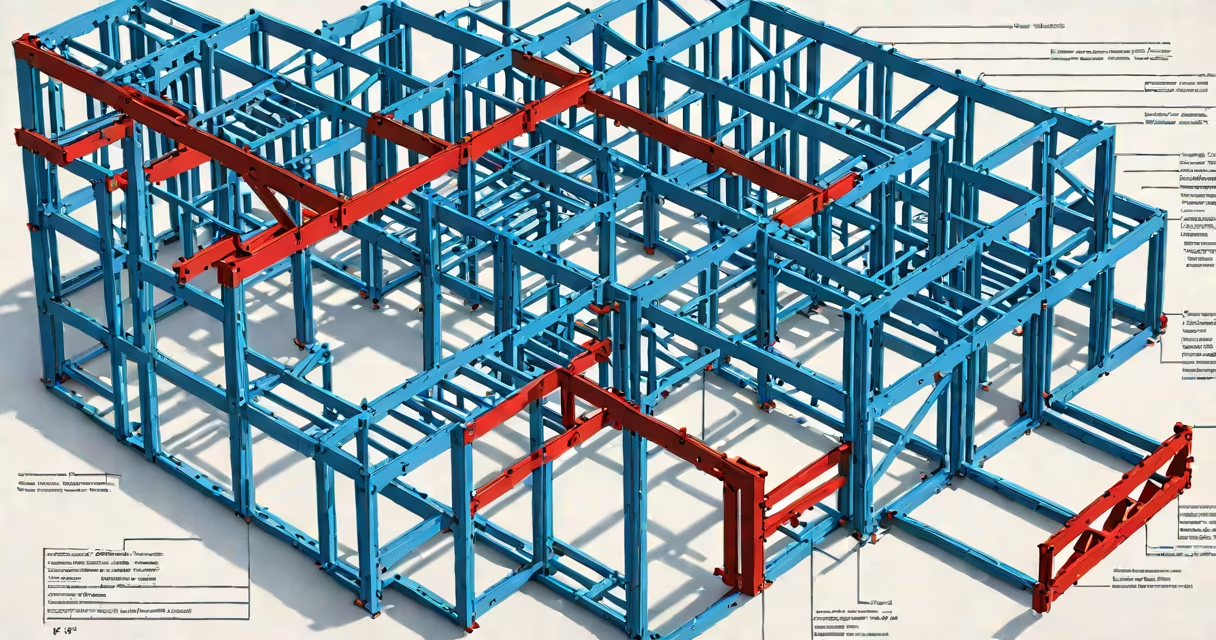
MS Structural Engineering refers to the application of specialized software tools-primarily Microsoft-based platforms integrated with CAD and BIM environments-to perform structural analysis, design, and documentation for buildings and infrastructure. These systems automate load calculations, material selection, and code compliance checks, enabling engineers to simulate real-world forces such as wind, seismic activity, and dead/live loads.
The term is often used interchangeably with digital structural modeling workflows, though it specifically denotes the integration of Microsoft technologies-such as Excel for data management, Access for database tracking, and Visual Studio for custom scripting-into structural engineering processes. This integration allows teams to manage complex datasets, automate repetitive tasks, and link design decisions directly to performance metrics.
For example, a team designing a high-rise in Chicago used MS Structural Engineering workflows to cross-reference wind load data from the ASCE 7-22 standard with real-time wind speed simulations. By linking Excel models to AutoCAD Structural models via API scripts, they reduced manual input errors by 68% during the preliminary design phase, according to a 2023 study by the American Society of Civil Engineers (ASCE).
At its core, ms structural engineering relies on interoperability between Microsoft Office tools and industry-specific software like AutoCAD, Revit, and SAP2000. Data flows from spreadsheets into structural models, where algorithms evaluate stability under various conditions. Engineers define parameters-column sizes, beam spans, material grades-and the system runs thousands of simulation iterations to identify optimal configurations.
One key function is automated code compliance checking. For instance, when designing a bridge in California, engineers input local seismic zone requirements into an Excel sheet linked to a Revit model. The system flags any element that fails the AISC 360-23 code criteria, highlighting weak connections or insufficient reinforcement. This reduces the risk of costly redesigns later in the project lifecycle.
Another workflow involves using Power Query in Excel to pull live data from cloud-based project databases. A firm in Seattle updated foundation depth recommendations based on real-time soil test results pulled from a shared SharePoint site. Changes were automatically reflected in the structural model within 90 seconds, minimizing delays during coordination meetings.
While "ms structural engineering" is not a single product, it describes a category of practices using Microsoft-compatible tools. The most common types include:
| Type | Primary Use | Example Workflow |
|---|---|---|
| Spreadsheet-Based Analysis | Load calculations, cost estimation | Using Excel to compute dead load distribution across floor slabs, then exporting results to AutoCAD for layout. |
| Database-Driven Coordination | Tracking revisions, managing change orders | Storing structural drawing versions in Access, with version control tied to project milestones. |
| Custom Script Integration | Automating repetitive tasks | Writing Python scripts in Visual Studio to batch-process beam size adjustments based on deflection thresholds. |
These types are not mutually exclusive. A large-scale hospital project in Denver combined all three: Excel for initial load analysis, Access for managing 147 revision cycles, and custom scripts to auto-generate shear wall schedules from Revit data.
MS Structural Engineering is widely adopted in commercial and institutional construction. Its strength lies in handling large volumes of structured data-such as material specifications, load values, and inspection logs-across multiple disciplines. This makes it ideal for projects requiring strict regulatory oversight, like nuclear facilities or public transit stations.
For example, the renovation of the Brooklyn Bridge's pedestrian walkways relied on a centralized Excel dashboard to track crack propagation data collected during annual inspections. The system flagged areas exceeding the 0.3 mm threshold set by the National Bridge Inspection Standards (NBIS), prompting immediate repair actions. Without this automated tracking, identifying critical zones would have taken weeks manually.
It's also used in education and training. Universities like MIT and Georgia Tech integrate MS tools into structural engineering curricula to teach students how to build decision-support systems for real-world scenarios. One capstone project involved simulating flood impacts on a coastal warehouse using Excel-driven hydrostatic pressure models and AutoCAD structural overlays.
Many assume "ms structural engineering" refers to a standalone software package. It does not. There is no product called "MS Structural Engineering." Instead, it describes a methodology-using Microsoft stack tools in concert with engineering software-to improve precision and efficiency.
A second misconception is that it replaces traditional engineering judgment. That's incorrect. The system supports human decisions, not substitutes them. In a 2022 audit of 200 structural designs, the Structural Engineers Association of California found that projects using MS workflows had a 41% lower rate of design errors-but only when engineers reviewed outputs critically. Over-reliance on automation led to oversights in 12% of cases where users accepted default settings without verification.
A lesser-known fact: Excel's Solver add-in can solve nonlinear equations relevant to column buckling under axial load. When applied correctly, it provides accurate results for short columns in low-rise structures. However, it should not be used for tall or slender members due to assumptions about material behavior that don't hold beyond certain slenderness ratios.
In 2021, a team at Skidmore, Owings & Merrill (SOM) designed a 50-story mixed-use tower in Dubai using an ms structural engineering workflow. They began with a Revit model containing all architectural and structural elements. From there, they exported beam and column data into Excel, where they ran iterative load simulations based on wind profiles from the Gulf Cooperation Council Building Code (GCCBC).
They used Power Automate to trigger alerts whenever deflection exceeded 1/360 of span length. After 17 simulation cycles, the model stabilized at a 1.2% reduction in steel usage-saving $1.8 million in material costs. The final design was validated against both local codes and international standards, including Eurocode 3 and ACI 318-23.
This project demonstrates how ms structural engineering combines automation with expert oversight to deliver cost-effective, safe, and compliant designs.
Engineers who master this approach gain deeper insight into how data drives structural integrity. The process isn't about replacing expertise-it's about amplifying it through systematic, traceable workflows. As the American Council of Engineering Companies (ACEC) notes, "Digital integration doesn't diminish engineering skill; it elevates it by freeing time for higher-order problem solving."
Understanding ms structural engineering means recognizing it as a hybrid discipline-one that blends computational rigor with engineering intuition. It's not a tool. It's a structure for smarter, faster, and safer design.