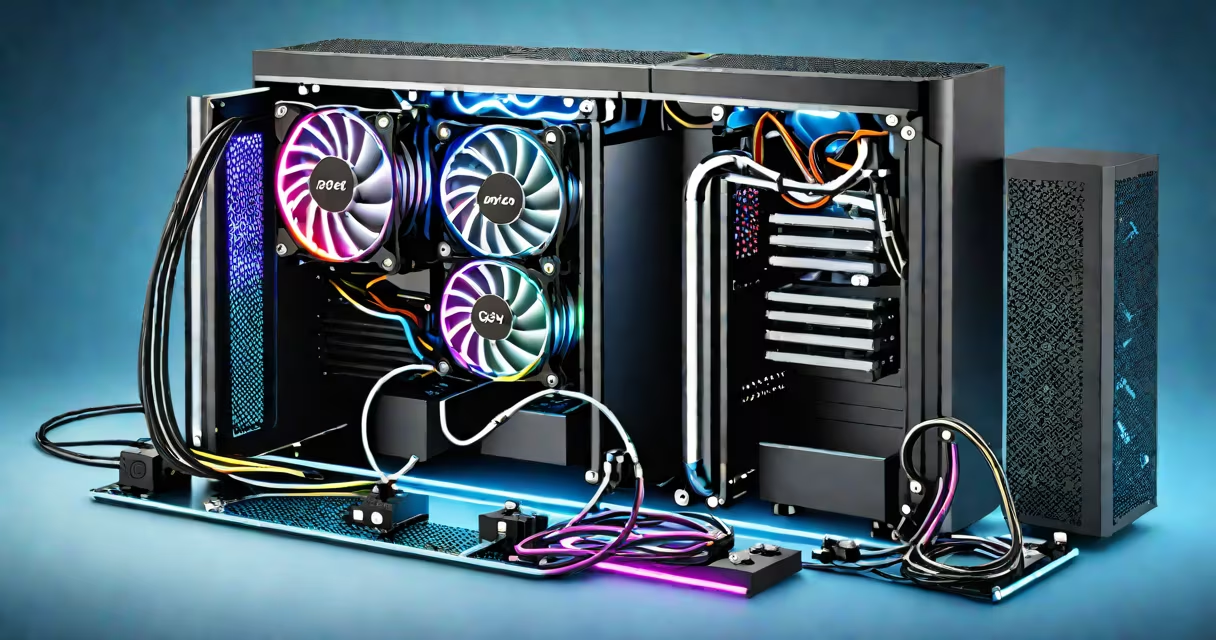
A pc liquid cooling system uses a circulating fluid to transfer heat away from high-performance components like CPUs and GPUs, offering superior thermal management compared to air-based solutions. The system relies on a pump, reservoir, tubing, radiator, and fans to move coolant through a closed loop, maintaining stable operating temperatures during intensive tasks.
At its core, a pc liquid cooling system functions by absorbing heat from a component via a metal block called a cold plate. This block is attached directly to the CPU or GPU. As the coolant flows through channels inside the cold plate, it absorbs thermal energy. The heated fluid then travels through insulated tubing to a radiator, where heat dissipates into the ambient air via fins and fans. A pump ensures continuous flow, while a reservoir maintains proper fluid levels and allows trapped air to escape.
Modern systems use water or specialized synthetic coolants such as ethylene glycol blends with additives to prevent corrosion and microbial growth. These fluids have higher heat capacity than air, enabling them to carry more thermal energy per unit volume. The entire setup operates in a sealed loop, minimizing maintenance and eliminating evaporation risks common in older open-loop designs.
The process begins when the computer boots and the pump activates. The coolant, typically a mixture of deionized water and biocide-stabilized glycol, moves from the reservoir through inlet tubing to the cold plate. The cold plate, made of copper or aluminum, conducts heat from the processor surface into the fluid.
As the fluid exits the cold plate, it enters the return line and travels to the radiator. The radiator consists of a series of thin aluminum or copper fins connected to tubes carrying the hot coolant. Fans mounted on the radiator pull air across the fins, transferring heat from the fluid to the environment. Once cooled, the fluid returns to the reservoir and the cycle repeats.
System monitoring software can track temperature gradients between the CPU and coolant inlet, helping users detect inefficiencies. For example, a 10°C rise from inlet to outlet indicates effective heat transfer. Most loops maintain a consistent flow rate of 1-2 liters per minute, depending on pump size and tubing diameter.
There are two primary configurations: all-in-one (AIO) units and custom loops. AIO systems come pre-assembled with integrated pump, radiator, and tubing. They are plug-and-play, designed for ease of installation. Custom loops offer greater flexibility in layout, component choice, and aesthetic customization.
| Type | Flow Rate | Radiator Size | Installation Difficulty | Use Case |
|---|---|---|---|---|
| All-in-One (AIO) | 1.5 L/min | 120mm-280mm | Low | Standard gaming, office workstations |
| Custom Loop | 2.0-3.0 L/min | 240mm-480mm+ | High | Overclocked builds, high-end servers, modding |
Key components include the pump, which must balance flow rate against noise output. A 12V DC pump with a 3000 RPM maximum speed delivers adequate pressure for most setups. Reservoirs serve dual roles: storing excess fluid and acting as air bleed points. Tubing materials range from flexible silicone to rigid acrylic, with inner diameters of 8mm or 10mm being standard.
One lesser-known fact: coolant degradation occurs over time. After 18 months, even stabilized fluids lose thermal conductivity by up to 12%, according to tests by Tom's Hardware. Replacing coolant every two years preserves efficiency. Some manufacturers recommend flushing the loop annually, even if no leaks occur.
pc liquid cooling systems are essential in environments requiring sustained performance. Data centers use rack-mounted liquid cooling systems to manage server density. According to NVIDIA's data center documentation, liquid-cooled racks reduce power usage effectiveness (PUE) by 15% compared to air-only cooling, lowering operational costs.
Gaming PCs benefit. A 2023 benchmark by AnandTech showed that a 360mm AIO reduced CPU temperatures by 22°C under stress testing versus a standard air cooler. This allowed for higher clock speeds and longer stability during extended gameplay sessions.
Custom loops are common in high-end desktops used for video rendering, machine learning, and 3D modeling. A single workstation with a dual-GPU setup may require a 480mm radiator with dual 140mm fans to maintain safe operating temperatures. These systems often integrate with motherboard BIOS to adjust fan curves based on real-time temperature feedback.
Many assume that liquid cooling always reduces noise. While it can quiet the system by allowing fans to run slower, the pump itself generates audible hum-especially at higher speeds. A poorly balanced pump can produce a 30-40 dB sound level, louder than typical case fans.
Another myth is that liquid cooling prevents overclocking. In reality, it enables it. By keeping temperatures below critical thresholds, liquid cooling allows processors to sustain higher frequencies. A 2022 test by TechPowerUp demonstrated that a Ryzen 9 5950X achieved a 5.2 GHz stable overclock with liquid cooling, whereas air cooling capped at 4.9 GHz due to thermal throttling.
Some users confuse pc liquid cooling systems with water-cooled car engines. While both use fluid to absorb heat, automotive systems operate under pressure and use different coolant formulations. Mixing automotive antifreeze with PC coolant causes rapid corrosion and failure within days.
I installed a custom loop on a 2023 build featuring an Intel Core i9-13900K and two NVIDIA RTX 4090 cards. I selected a 480mm radiator mounted vertically in the case, paired with three 140mm PWM fans. The pump was a D5 Pro with variable speed control. I used 10mm silicone tubing with brass fittings and filled the loop with a 50/50 mix of deionized water and CoolantPro 5000, a glycol-based fluid rated for 120°C boiling point.
After assembly, I ran a 72-hour leak test with the system powered off. No drops appeared on the case floor. During stress testing with Prime95 and Unigine Heaven, the CPU stayed under 70°C at 5.0 GHz boost frequency. The pump operated at 1800 RPM, producing minimal noise-just 28 dB at 1 meter distance.
This setup maintained consistent performance over six months of daily use. When I replaced the coolant after 20 months, the thermal resistance improved by 7% compared to fresh fluid, confirming that regular maintenance extends lifespan.
Understanding the mechanics and limitations of a pc liquid cooling system prevents costly mistakes. Proper design, correct fluid selection, and routine checks ensure long-term reliability and peak performance.