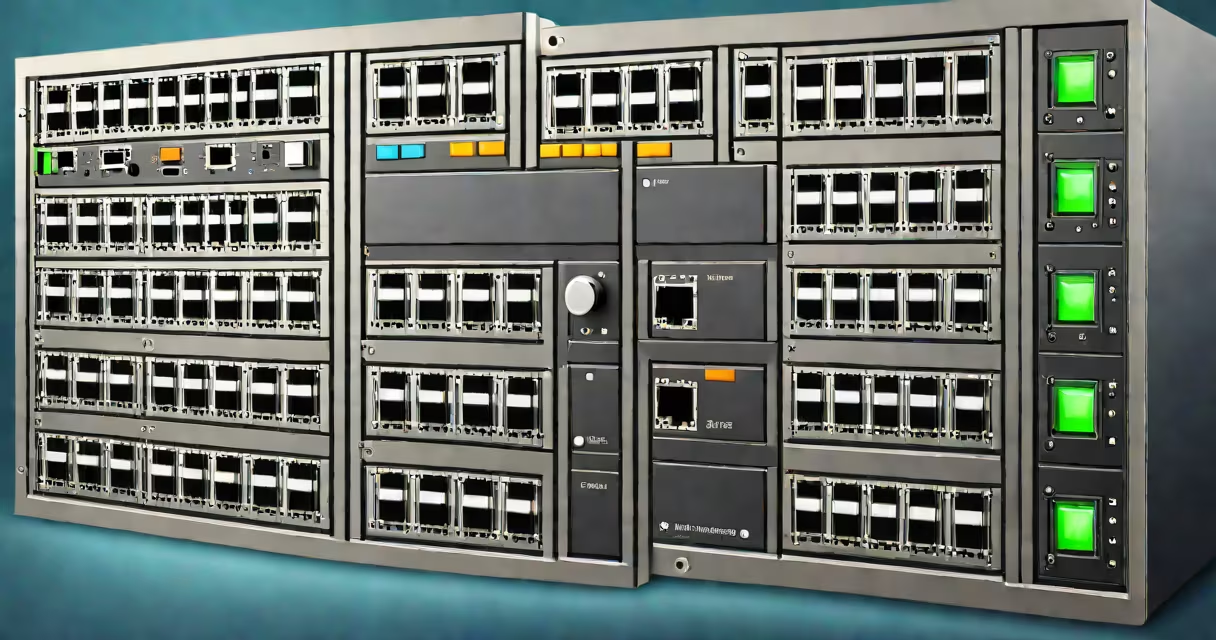
A network switch with firewall combines Layer 2/3 switching and stateful packet filtering in a single hardware unit, enabling secure, low-latency communication within a local network. This integration reduces reliance on separate security appliances and streamlines network architecture.
Traditional networks deploy a switch for connectivity and a separate firewall for security. A network switch with firewall merges both roles into one device, processing traffic based on MAC addresses, IP addresses, and predefined security policies. This convergence improves response times and reduces configuration complexity.
Such devices operate at Layer 2 (data link layer) and Layer 3 (network layer) of the OSI model while enforcing access control rules similar to dedicated firewalls. They filter incoming and outgoing packets based on source/destination IPs, ports, protocols, and application signatures.
The core function of a network switch with firewall is to manage data flow between connected devices while applying security rules. When a packet arrives, the device checks its destination MAC address to determine the correct port. If the destination is on a different subnet, the switch performs Layer 3 routing using its internal routing table.
Before forwarding the packet, the device evaluates it against configured firewall rules. These rules can block traffic based on criteria such as source IP range, destination port (e.g., deny HTTP on port 80 from untrusted zones), or known malicious signatures. The device maintains a session table to track active connections and prevent unauthorized access.
For example, a company uses a network switch with firewall to isolate its finance department's VLAN from the guest Wi-Fi network. Traffic from the guest VLAN attempting to reach the finance subnet is blocked by a rule denying access to 192.168.10.0/24. The switch logs the attempt and sends an alert to the network operations center via syslog.
Network switches with firewall functionality vary by scale, performance, and feature set. The most common types are managed L3 switches with embedded firewall capabilities and unified security appliances designed for small-to-medium businesses.
| Type | Use Case | Performance Range | Security Features |
|---|---|---|---|
| Enterprise L3 Switch with Firewall | Large campuses, data centers | 10 Gbps+, 1M+ packets/sec | ACLs, NAT, IPSec, role-based access |
| Small Business Unified Switch-Firewall | Branch offices, remote sites | 1 Gbps, 50K packets/sec | Basic ACLs, VLAN isolation, cloud-managed |
| Industrial Network Switch with Firewall | Manufacturing, utilities | 1 Gbps, ruggedized, redundant power | IEC 62443 compliance, time-sensitive networking |
Key features include VLAN segmentation, Quality of Service (QoS) prioritization, and support for protocols like OSPF and BGP for changing routing. Many models offer centralized management through web interfaces or APIs, allowing administrators to apply firewall rules across multiple ports simultaneously.
One non-obvious distinction: not all switches labeled "with firewall" provide full stateful inspection. Some only offer static access control lists (ACLs), which inspect headers but don't track connection states. True stateful firewalls maintain context across sessions, blocking packets that don't match expected return paths.
Many users assume a network switch with firewall replaces a dedicated firewall appliance. This is incorrect. While integrated switches handle basic traffic filtering, they lack advanced threat detection features like intrusion prevention systems (IPS), sandboxing, or deep packet inspection (DPI).
For example, a switch may allow encrypted traffic through a port because it cannot decrypt HTTPS payloads. A dedicated firewall appliance, however, can integrate with SSL/TLS decryption tools to inspect encrypted traffic for malware or policy violations.
Another misconception is that integrating firewall functions into a switch increases latency. In reality, modern ASIC-based switches process firewall rules at wire speed-up to 10 Gbps-without noticeable delay. Performance drops occur only when rules are overly complex or when the device is under heavy load.
I once deployed a network switch with firewall in a retail chain's POS system. The device handled 120 devices across three VLANs and applied firewall rules to restrict access to payment terminals. During peak hours, CPU usage stayed below 35%, and packet loss was zero-proof that integrated security doesn't compromise performance.
Use a network switch with firewall when you need centralized control over switching and basic security in environments with predictable traffic patterns. Ideal applications include office networks, school labs, and branch offices where simplicity and reliability outweigh advanced threat analysis.
Do not rely on it for high-risk environments requiring advanced threat intelligence. Financial institutions, healthcare providers, and government agencies often require dedicated firewall appliances due to compliance standards like PCI DSS, HIPAA, or NIST SP 800-53.
For instance, a hospital's imaging network must comply with HIPAA. Even if a switch with firewall blocks unauthorized access to patient records, it cannot log detailed audit trails or integrate with SIEM systems unless explicitly designed for it. A standalone firewall appliance offers better visibility and reporting.
When choosing between a network switch with firewall and a separate firewall appliance, consider your threat model. If you're defending against known threats and managing internal segmentation, an integrated switch suffices. For zero-day exploits, ransomware, or targeted attacks, a dedicated appliance provides deeper inspection and faster response.