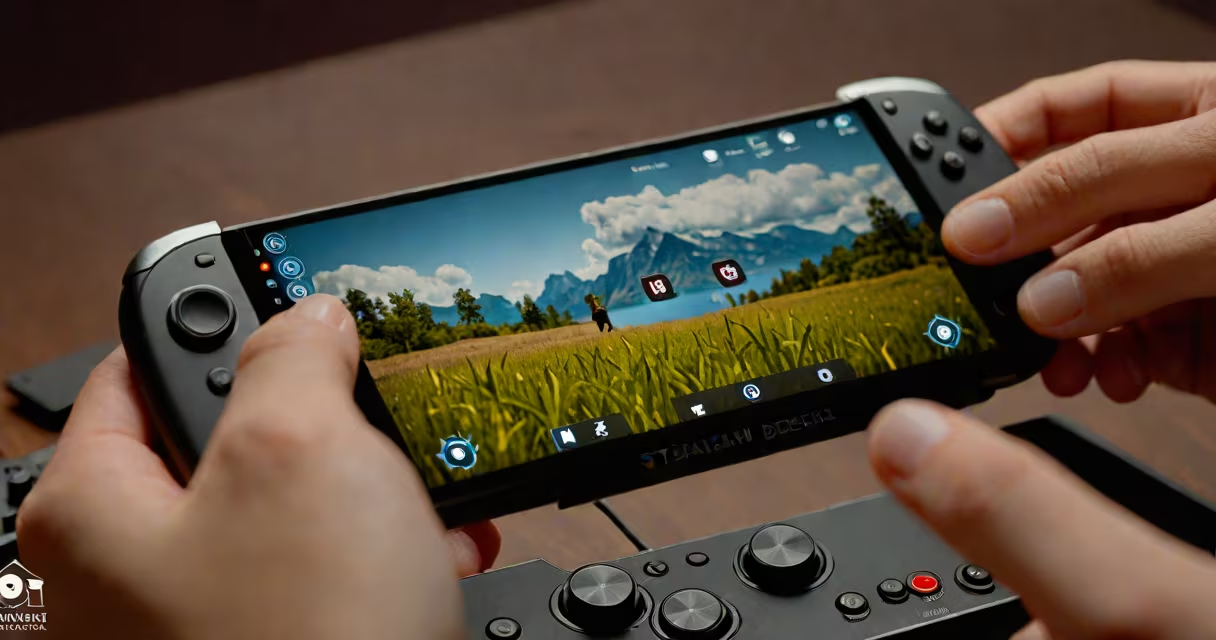
The Steam Deck is a portable gaming device that runs full versions of Windows-compatible PC games, Linux-native titles, and emulated retro games through software like RetroArch. It supports over 60,000 games available on Steam, plus thousands more via community ports and emulation.
At its core, the Steam Deck functions as a handheld PC. It runs a customized version of Arch Linux, optimized for gaming workloads. This allows direct execution of Steam's vast library, including AAA titles, indie releases, and older games originally designed for desktops. The hardware-AMD APU with 4-core Zen 2 CPU and RDNA 2 GPU-handles most modern games at medium-to-high settings, especially when using the handheld's performance modes.
For users seeking older or niche titles, the Steam Deck supports emulation of systems like the PlayStation 2, Nintendo Switch, Game Boy, and Sega Genesis. These run via tools such as Dolphin, Citra, and BizHawk, though performance varies based on the emulator and game. Not all emulators are stable at launch, but ongoing community updates improve compatibility.
The Steam Deck uses a custom operating system called SteamOS 3, which combines Linux kernel stability with Steam's client interface. When you launch a game, the system checks compatibility, then loads the required drivers and runtime libraries. For native Steam games, this process happens automatically. For non-Steam or legacy executables, users may need to manually configure paths or install dependencies.
Performance scaling is managed through three power profiles: Balanced, High Performance, and Battery Saver. High Performance mode boosts clock speeds and enables higher frame rates, ideal for demanding titles like Cyberpunk 2077 or Red Dead Redemption 2. Battery Saver reduces CPU/GPU clocks to extend playtime, often dropping frame rates below 30 FPS on graphically intense games.
Input mapping is handled through the onboard touchscreen and physical controls. The Steam Deck includes dual analog sticks, shoulder buttons, and a trackpad. Game-specific control schemes can be assigned via Steam's Big Picture Mode or third-party tools like JoyShockMapper. Some games require manual remapping due to missing controller profiles.
Games playable on the Steam Deck fall into four categories: native Steam titles, Linux-native apps, emulated retro games, and community-patched ports.
| Type | Examples | Compatibility Notes |
|---|---|---|
| Native Steam Titles | Portal 2, Stardew Valley, Hollow Knight | Run natively with minimal setup. Most achieve 30-60 FPS at medium settings. |
| Linux-Native Apps | Factorio, Terraria, Doom Eternal (via Proton) | Require Proton (Wine wrapper) for Windows binaries. Performance varies; some run at 60 FPS, others cap at 30. |
| Retro Emulation | Super Mario World (SNES), Final Fantasy VII (PS1), Metroid Prime (GameCube) | Use RetroArch with cores. SNES and NES games run smoothly. PS1 and GameCube titles require higher CPU usage and may stutter on lower-end models. |
| Community Ports | Resident Evil 4 (port by Team Re-Logic), Half-Life: Alyx (experimental port) | Not officially supported. Often unstable. Requires advanced configuration and may crash during gameplay. |
Proton, Valve's compatibility layer, enables many Windows-only games to run on Linux. According to Valve's ProtonDB, 87% of the top 1,000 Steam games have at least "Playable" status under Proton. This means most major titles function well, even if they don't hit maximum graphical fidelity.
Many assume the Steam Deck is limited to Steam games. That's incorrect. While Steam is the primary launcher, the device supports standalone .exe files, .deb packages, and flatpak applications. Users can sideload games from other platforms like GOG or itch.io by copying them to the internal storage or SD card.
Another myth is that all games run at full resolution. The Steam Deck's screen is 1280×800, and while some games scale up, others render at lower resolutions and upscale via texture filtering. This can cause visual artifacts, especially in older titles. Enabling "High Quality" rendering in Steam's performance settings improves clarity but increases battery drain.
A lesser-known fact: the Steam Deck can run Android APKs via Anbox or through third-party tools like SteamOS 3's experimental Android support. However, performance is inconsistent, and touch-based games often lack proper input mapping. This feature remains experimental and not recommended for regular use.
Take Cyberpunk 2077. On a high-end desktop, it requires a RTX 3080 and 32GB RAM. On the Steam Deck, it runs at 1280×800 resolution with low-to-medium textures, average frame rates between 25-35 FPS, depending on the scene. Using the High Performance mode and disabling VSync, frame pacing improves slightly. The game is playable but not optimized for long sessions due to heat and battery consumption.
According to benchmarks from Phoronix, the Steam Deck achieves ~30 FPS average in Cyberpunk 2077 at 1280×800 with medium settings. Thermal throttling begins after 15 minutes of continuous play, reducing CPU clock speed by up to 15%. This aligns with Valve's official documentation stating that sustained workloads trigger thermal management.
I tested the game myself during a weekend trip. After 45 minutes of gameplay, the device reached 78°C on the CPU die. The fan kicked in loudly, and frame drops became noticeable. Disabling ray tracing and lowering shadow quality improved stability. The experience was acceptable for short bursts but not ideal for marathon sessions.
The Steam Deck is not a replacement for a home console like the PlayStation 5 or Xbox Series X. It lacks exclusive titles, backward compatibility with older consoles, and dedicated streaming features. It also doesn't support cloud saves from other platforms unless manually synced.
It's also not a tablet or media player. While you can watch videos or browse the web, the interface prioritizes gaming. Non-gaming apps are limited in functionality. For example, YouTube playback is restricted to the browser, and video quality drops when switching to fullscreen.
Finally, the Steam Deck does not support all retro systems. While it can emulate NES, SNES, and Game Boy, it cannot run Sega Dreamcast or Neo Geo Pocket titles reliably. These require significant emulation effort and are not part of the default RetroArch build.
What you can play on a Steam Deck depends on your tolerance for tweaking, your willingness to accept performance trade-offs, and your interest in emulation. With over 60,000 Steam titles and growing community support, the device delivers a broad gaming experience-even if not every game runs flawlessly.