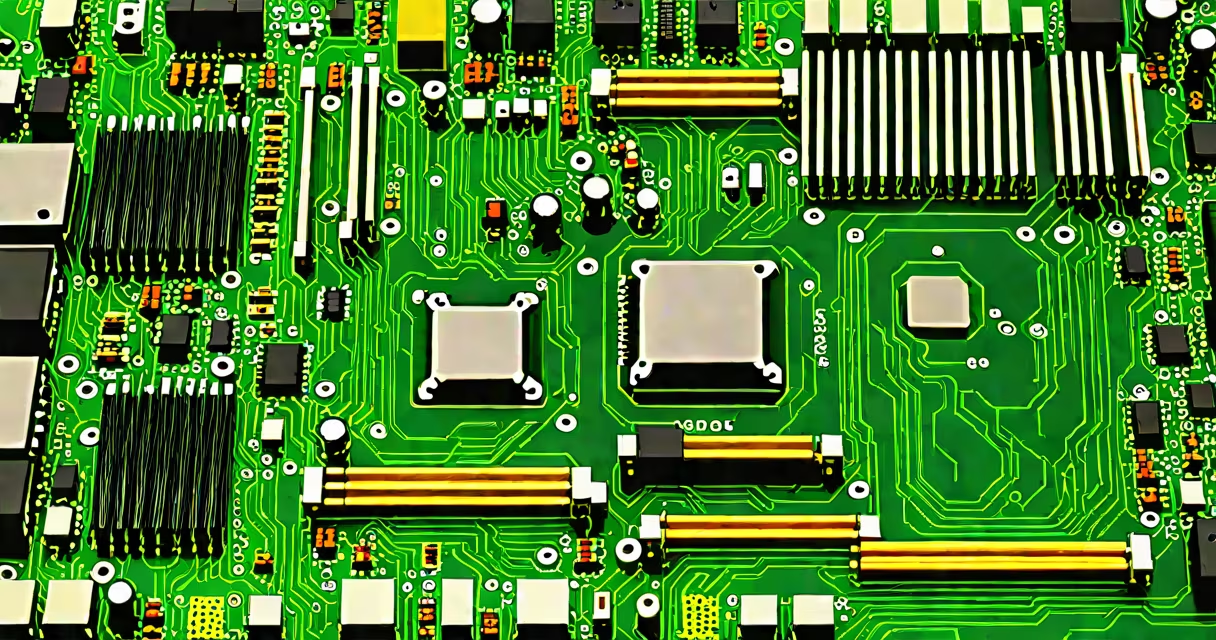
A PCI device is a hardware component that connects to a computer's motherboard through the Peripheral Component Interconnect (PCI) bus, allowing data transfer between the CPU and peripheral devices such as graphics cards, sound cards, and network adapters.
The PCI standard was introduced in 1992 by Intel to replace older bus architectures like ISA and MCA. It established a consistent method for connecting expansion cards to the system, improving speed, reliability, and plug-and-play functionality. Modern systems use PCI Express (PCIe), a high-speed serial version of the original PCI, which maintains backward compatibility while offering higher bandwidth.
Every PCI device has a unique identifier assigned during manufacturing: a vendor ID and a device ID. These identifiers help the operating system recognize the hardware and load the correct driver. For example, NVIDIA uses vendor ID 0x10DE, and a GeForce RTX 4090 has device ID 0x260A. The OS uses this pair to match the hardware to the appropriate software.
When a computer boots, the BIOS or UEFI firmware scans the PCI bus for attached devices. Each device reports its capabilities, memory ranges, and interrupt requests. The operating system then assigns resources-such as I/O addresses, memory-mapped regions, and IRQ lines-to prevent conflicts.
Data flows between the CPU and PCI devices through a dedicated bus. In traditional PCI, this is a shared parallel bus with a 32-bit width and 33 MHz clock, delivering up to 133 MB/s peak throughput. PCIe improves on this by using point-to-point serial connections. A single PCIe lane operates at ~985 MB/s per direction at Gen 3 speeds, and modern systems support up to 16 lanes (x16) for graphics cards.
For example, a PCIe x16 graphics card in a desktop system uses 16 separate lanes to send and receive data simultaneously. This allows high-bandwidth tasks like 4K video rendering or real-time ray tracing to run efficiently. Without PCIe, such operations would suffer from bottlenecks due to slower bus architectures.
PCI devices fall into several categories based on function and physical form factor. The most common types include:
| Type | Common Use | Physical Form | Speed (Typical) |
|---|---|---|---|
| Graphics Card | Rendering images, video playback, gaming | Full-length, double-slot | Up to 32 GB/s (PCIe x16 Gen 4) |
| NIC (Network Interface Card) | Wired/wireless networking | Small card, often half-height | 1 Gbps to 10 Gbps (via PCIe x1) |
| SATA Controller | Connecting SSDs and HDDs | Integrated on motherboard | 6 Gbps (SATA III) |
| Sound Card | High-fidelity audio output | Low-profile, single-slot | Audio-specific, low latency |
While many devices are integrated directly onto the motherboard-like SATA controllers and onboard audio-the term "PCI device" still applies because they communicate via the PCI bus. A discrete GPU, however, is always a standalone PCI device requiring a PCIe slot.
One non-obvious distinction: not all PCIe devices are physically large. A USB 3.0 controller card may fit in a small PCIe x1 slot and consume less than 5 watts. Yet it enables faster data transfers than legacy USB 2.0 ports, which operate at 480 Mbps.
Many users assume that any expansion card is a PCI device. However, the term specifically refers to devices using the PCI or PCIe standard. Older buses like AGP (Accelerated Graphics Port) were proprietary and not part of the PCI family. AGP cards cannot be used in PCIe slots, even though both serve graphics purposes.
Another frequent mix-up is confusing PCIe lanes with CPU cores. A PCIe x16 slot doesn't have 16 cores-it has 16 individual data lanes. Each lane acts like a separate highway for data. When a GPU uses all 16 lanes, it achieves maximum throughput. But if the motherboard routes only 8 lanes to the GPU due to chipset limitations, performance drops by about 40% compared to full x16 bandwidth.
For example, on a budget motherboard with an AMD Ryzen 5 5600X, the primary PCIe x16 slot is connected directly to the CPU and runs at full Gen 3 speed. But a secondary PCIe slot on the same board may be connected through the chipset and limited to Gen 2 speeds. This difference matters for NVMe SSDs and capture cards, which rely on consistent bandwidth.
I once encountered a server that failed to boot after installing a new PCIe NIC. The system showed no network activity, and the OS didn't detect the device. Using lspci -v in Linux revealed the card was present but had no driver loaded.
Further investigation showed the card was using a different PCIe lane configuration than expected. The motherboard's BIOS had disabled the PCIe port due to a power-saving setting. Re-enabling the port in BIOS resolved the issue. This case illustrates that even when a PCI device is physically installed, it may not be accessible due to firmware or resource allocation problems.
The PCI Special Interest Group (PCI-SIG) maintains the official specifications for PCI and PCIe. According to their documentation, PCIe 5.0 doubles the bandwidth of PCIe 4.0, reaching up to 128 GB/s for a x16 link. This supports emerging technologies like AI accelerators and real-time data analytics hardware.
Intel's 2023 datasheet for the 13th-gen Core processors confirms that PCIe 5.0 is available on select chipsets, with support for up to four PCIe 5.0 x4 lanes. This enables direct connection to high-performance NVMe SSDs and multi-GPU configurations.
For reference, the PCI-SIG website defines the PCI Express Base Specification v6.0 as released in 2023, introducing features like PAM4 signaling and improved error recovery. These updates ensure long-term scalability for data centers and high-end workstations.
Understanding what is PCI device requires recognizing it as a foundational element of modern computing architecture. From basic input/output to advanced machine learning workloads, PCI devices enable the performance and flexibility users expect.