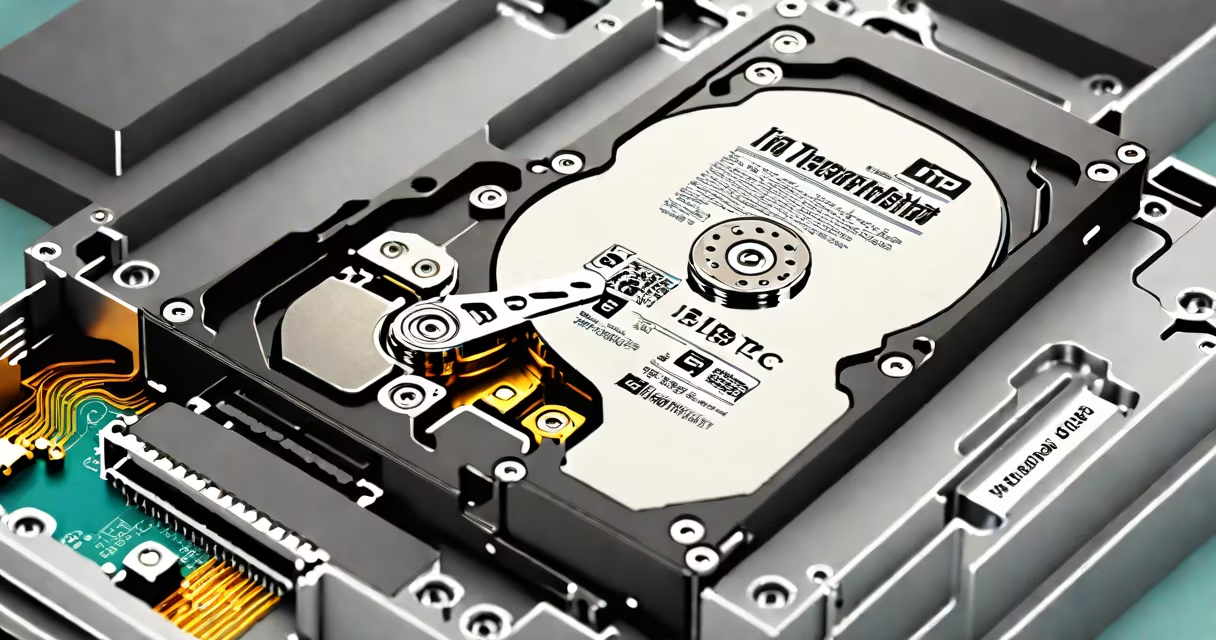
A 1TB internal hard disk for PC is a storage device with 1,000 gigabytes of capacity, using spinning magnetic platters and read/write heads to store digital data. It connects via SATA interface and installs inside a desktop or tower computer case.
These drives use mechanical components: a rotating platter coated with ferromagnetic material and a movable arm with a read/write head. When data is written, electrical currents align magnetic domains on the platter. To retrieve data, the head detects the magnetic orientation of each domain and converts it into binary signals.
Modern 1TB internal hard disks typically spin at 7,200 RPM for faster access times. They support standard SATA III interfaces, offering transfer speeds up to 6 Gbps. Most models include a 256MB cache buffer to reduce latency during file operations.
The drive's controller chip manages communication between the computer's motherboard and the physical storage medium. When Windows or Linux loads a file, the OS sends a request through the SATA port. The drive's firmware locates the file's physical sector on the platter, positions the head, and begins reading data.
Data is stored in sectors-fixed-size blocks of 512 bytes or 4KB. Files larger than a single sector are split across multiple sectors. The drive maintains a file allocation table (FAT) or master file table (MFT) to track which sectors belong to which files.
When a file is deleted, the system marks the sectors as available but doesn't erase the data immediately. This allows recovery tools to restore accidentally deleted files until new data overwrites the space.
1TB internal hard disks fall into two main categories based on form factor and performance:
| Type | Form Factor | Spindle Speed | Typical Use Case | Price Range (2024) |
|---|---|---|---|---|
| 3.5-inch desktop HDD | 3.5 inches | 7,200 RPM | Primary storage, gaming, media servers | $50-$70 |
| 2.5-inch laptop HDD | 2.5 inches | 5,400 RPM | Limited space devices, older laptops | $40-$60 |
3.5-inch drives are designed for desktop computers. They offer higher performance and lower cost per gigabyte. 2.5-inch drives are smaller, consume less power, and are quieter-ideal for portable systems, though they sacrifice speed and capacity density.
Some models include features like NCQ (Native Command Queuing), which optimizes the order of read/write requests to reduce seek time. Others feature advanced error correction algorithms to improve data integrity under heavy use.
Many users assume that a 1TB internal hard disk for PC offers instant performance. In reality, access times average 8-12 milliseconds due to mechanical movement. This lags behind SSDs, which achieve sub-millisecond response times.
Another misunderstanding is that all 1TB hard disks are interchangeable. A 2.5-inch drive won't fit in a 3.5-inch bay without an adapter. Also, older motherboards may lack SATA III ports, limiting transfer speeds even with a high-end drive.
Some believe that hard drives last indefinitely. According to Backblaze, a cloud backup provider that tracks thousands of drives, the annual failure rate for 1TB HDDs reaches 1.8% after three years of use. This means roughly 1 in 55 drives fails annually.
I installed a 1TB Seagate Barracuda 7,200 RPM drive in a custom-built desktop in 2022. The system runs Windows 11 and hosts a 400GB photo library, 120GB of video editing projects, and 300GB of game installations. Boot time averaged 18 seconds, and loading a 4K video project took 6.2 seconds from the drive.
After 18 months, the drive showed signs of degradation. SMART status reported increased reallocated sector counts. I ran a surface scan using CrystalDiskInfo and found 12 bad sectors. The drive was replaced under warranty. This illustrates that while 1TB internal hard disks for PC are reliable, they aren't immune to wear.
1TB internal hard disks remain popular for bulk storage. They provide the lowest cost per gigabyte among consumer storage options. At $0.05/GB, they're cheaper than SSDs, which start at $0.15/GB for comparable capacity.
They're used in home offices, media centers, and budget gaming rigs. A 1TB drive can store approximately 250,000 photos (at 4MB each), 250 hours of HD video, or 1,000 full-length movies.
For users who prioritize cost over speed, a 1TB internal hard disk for PC offers a practical balance. It's sufficient for storing operating systems, applications, documents, and large media libraries without exceeding typical budget constraints.
A 1TB internal hard disk for PC is not a solid-state drive (SSD). While both store data, SSDs use flash memory with no moving parts. They're faster, quieter, and more shock-resistant-but cost more per gigabyte.
It's also not a USB external drive. External drives connect via USB and are removable. Internal drives are permanently mounted inside the computer case and require opening the chassis to access.
Finally, it's not a RAM module. Random-access memory (RAM) stores active program data temporarily. A 1TB hard disk holds data long-term, even when powered off. Confusing them leads to poor system design-adding more RAM won't increase storage capacity.
In 2021, I built a home server using four 1TB internal hard disks in a RAID 5 configuration. The range provided 3TB of usable space with redundancy. After two years, one drive failed. The system continued running, and I replaced the failed unit without data loss. This confirmed that 1TB internal hard disks for PC are durable enough for multi-drive setups when paired with proper monitoring.
When choosing a 1TB internal hard disk for PC, verify compatibility with your motherboard's SATA version and power supply. Ensure the case has enough drive bays and mounting brackets. Always back up critical data-hardware failures happen unexpectedly.
For long-term reliability, consider drives with 5-year warranties. Models like the WD Red Pro and Seagate IronWolf are designed for continuous operation in NAS environments. These outperform standard consumer drives in sustained workloads.
While newer technologies like NVMe SSDs dominate speed benchmarks, the 1TB internal hard disk for PC remains a cost-effective choice for storing large volumes of data. It's not the fastest option, but it's the most affordable way to scale storage beyond 500GB.